


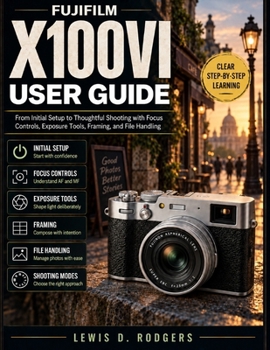
Fujifilm X100vi User Guide: From Initial Setup to Thoughtful Shooting with Focus Controls, Exposure Tools, Framing, and File Handling

Buying the Fujifilm X100VI is exciting, but its dial-based controls, hybrid viewfinder, focus options, exposure tools, and extensive menu system can take time to understand. If you have ever looked at the shutter-speed dial, aperture ring, viewfinder selector, or autofocus settings and wondered where to begin, this guide provides a practical path forward.
Fujifilm X100VI User Guide is written for new owners, hobby photographers, and experienced users who want to become more comfortable with the camera without being overwhelmed by technical language.
Starting with charging, memory cards, initial settings, and the camera's physical controls, the book gradually moves into the features that make the X100VI distinctive. You will learn how its hybrid optical and electronic viewfinder works, how the aperture ring and shutter-speed dial determine exposure modes, and how to make thoughtful choices about focus, ISO, the built-in ND filter, stabilization, flash, and composition.
The guide also explores camera-specific capabilities including the 40.2-megapixel X-Trans CMOS 5 HR sensor, subject-detection autofocus, in-body image stabilization, Film Simulation options, and 6.2K video.
Inside, you'll learn how to:
Set up the X100VI and understand its buttons, dials, rings, and displaysWork confidently with the optical, electronic, and electronic-rangefinder viewing optionsChoose autofocus and manual-focus tools for different subjectsControl aperture, shutter speed, ISO, exposure compensation, and the built-in ND filterWork with Film Simulations, custom settings, drive modes, flash, and videoOrganize, transfer, protect, and back up image filesCheck firmware, maintain the camera, and troubleshoot common problemsThis is an independent educational guide and is not official, authorized, endorsed, sponsored, or approved by FUJIFILM Corporation.
Whether you are preparing for your first outing or refining a setup you already use, this book is designed to help you make clearer decisions and spend more time concentrating on the photograph in front of you.
Customer Reviews
ThriftBooks ® and the ThriftBooks ® logo are registered trademarks of Thrift Books Global, LLC
