
Skip to content
Scan a barcode
Scan
Paperback Foundation Silverlight 2 Animation Book

ISBN: B008SM8CAM

ISBN13: 9781430215691

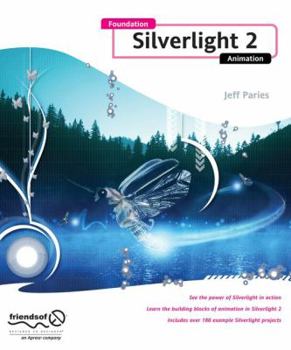
Foundation Silverlight 2 Animation

See the power of Silverlight in action Learn the building blocks of animation in Silverlight 2 Includes over 180 example Silverlight projects Silverlight is a phenomenally powerful animation tool, but few people know how to unlock its potential. Foundation Silverlight 2 Animation gives you the keys to all of that power.

It covers the basics of animation--that is, Silverlight's storyboards and animations, which are used to provide interactivity to Silverlight applications. You'll take an in-depth look at double, point, and color animations. You'll also learn the difference between linear, spline, and discrete keyframes, and how they affect your objects as they move.

But it doesn't stop there. You'll go well beyond those simple timeline-based animations and learn how to create purely code-based animations. You'll use vectors to make objects move and bounce off boundaries and each other. You'll explore particle systems, kinematics, and collisions. You'll also learn how to use trigonometry to animate objects and simulate 3D motion in a 2D environment. The essential trigonometry required to create complex motion is simplified and explained through a series of fascinating and fun examples that can be incorporated into your own applications, games, and experiments.

Whether you're already familiar with Silverlight and you want to learn how to open it up, a Flash developer interested in expanding your skill set, or a web developer looking to take the next step into rich interactive application development, this book will bring you up to speed on Silverlight 2 and show you what it can do. From techniques for creating frame-based animations to learning how to simulate 3D in a 2D environment, there is something here to satisfy anyone's appetite for animation and interactivity.

Recommended

Format: Paperback

Condition: New

$30.00
Save $9.99!
List Price $39.99
50 Available
Ships within 2-3 days

Customer Reviews

5 ratings

Silverlight taught right

I have now purchased four books while trying to master Silverlight. Animation is the part of Silverlight that needs a book of its own to show just how well it can perform on screen. Silverlight is not just WPF in web format. And this is the book that can do an excellent job of telling how to design these amazing displays. The book is divided into three sections: Getting Started in Silverlight, Basic Animations, and Advanced Animation. In Getting Started the basic tools and layout terms for Silverlight are described. Basic Animations introduces the animation process and covers a wide range of animation types. This book has the best discussion of Storyboards that I have read. Now I understand how to use them and how to attach the four basic animation properties. Next Keyframes are introduced and how to use Visual Studio and Expression Blend to apply Keyframes in Silverlight. The core material on animation is reserved for the last section. Animation technology is introduced that will teach the reader to use trigonometry, coordinated, 3D simulation, simulation of physical systems and imaginary custom objects. I could even say that everything you need to know about Silverlight animation is contained in this book. I have answers to all the remaining questions from the other three Silverlight books that I purchased. Downloading and running the book's software allows one to see exactly what the examples in the book accomplish and allow experimentation to produce mastery of animation. Once you see how the XAML and codebehind are relate together to produce the animations, you can use Expression Blend or Visual Studio to produce the same effects. My best reviews are reserved for books that teach the material well and completely. This is the best of the books on Silverlight that I've purchased. It rates five stars in my world.

Love this book - perfect

This is a very unique book. It provides exactly what you're looking for -- animation in Silverlight -- and does not waste a lot of time with other unrelated (or barely related) topics. The descriptions of how it works and WHY to do something a certain way are priceless. I had several "Oh, now I get it" reactions over the course of reading this book. It also makes me feel great about using Silverlight vs. Flash, especially because of time-based animations vs. frame-based.

On Heck Of a Great Book!

I don't normally write reviews but couldn't resist in this case. As a Microsoft Developer Evangelist I spend my days teaching others new technologies and am always on the look out for books to suggest for my attendees. Without a doubt this book is at the top of my Silverlight list. Not only is the author's writing clear and concise but it has the one quality I look for most in a book -- practicality. This is a book filled with content that people can apply immediately to make their work easier/better/more appealing. Great work!! :)

A patient and complete explanation

I am a programmer with little artistic ability so I approached this book with the desire to know how to properly make things move in Silverlight. I was happy to find in the opening chapters that the author did not assume that you had any prior understanding of animation or its principals. The book even takes the time to explain how to use Blend and Visual Studio before launching into the basics around page 35. Basically the book consists of a large number of examples that demonstrate practically every conceivable aspect of animation. The examples are covered in depth but they are succinct. You basically download the code from the website and follow along as the author details the principals the example is intended to illustrate. The chapter that shows how to make a spaceship move around the screen and fire a missile is worth the price of the book alone. The author really goes to great length to "not lose anyone". After explaining a concept, the book usually contains a statement like "now this may be confusing to you..." followed by another explanation of the same concept from a different perspective. The book does not bypass the advanced stuff, halfway through the book you encounter "Using Trigonometry For Animation". Luckily the first heading is titled "What is trigonometry?". This is followed by patient explanations of using trigonometry to rotate a spaceship. The following chapters detail simulating 3D in 2D but the most useful chapter for myself will be the chapter on detecting collisions. The preceding chapter on trigonometry allows for better understanding of the complex principals. The book also delves into Kinematics (the stuff you need to know how to do to properly simulate a person walking). Again, never assuming the reader has ever heard the word, the author starts the chapter by asking you to stand on one leg and hold your other leg in front of you. Examples such as these allow you to keep reading rather than feeling as if it will all be over your head. The book closes out with chapters on Particle Systems and displaying Virtual Reality objects. I had created an adaption of the authors earlier VR example a year ago that was written in Silverlight 1.0 and posted on his website. At the time I didn't fully understand all the mathematical formulas. Now he explains exactly what the formulas do. Overall the book is very accessible to the beginner and non programmer. You can read it cover to cover as a narrative or use it as a easy to navigate reference manual. This book will remain in arms reach on my bookshelf.

Very Good Animation Book

I highly recommend Jeff's Animation book. This books starts with the basics of animation in Silverlight and ends with some fairly complex animations. This book looks like it was printed on recycled paper and there is no color; however, the animation material and the 130 meg of downloadable examples are all excellent for learning Silverlight animation basics and advanced techniques. The book is very clearly written and easy to understand. Note: Expression Blend 2 sp1 has a number of bugs which can be very frustrating for beginners (like me). I was able to look at the XAML being generated by Blend to understand how to work around the bugs. David Roh
Copyright © 2025 Thriftbooks.com Terms of Use | Privacy Policy | Do Not Sell/Share My Personal Information | Cookie Policy | Cookie Preferences | Accessibility Statement
ThriftBooks ® and the ThriftBooks ® logo are registered trademarks of Thrift Books Global, LLC

GoDaddy Verified and Secured