


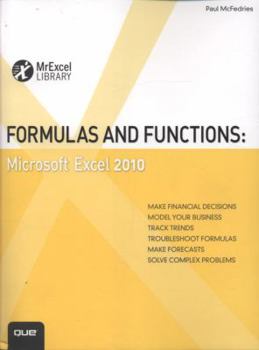
Formulas and Functions: Microsoft Excel 2010

MASTER CORE EXCEL 2010 TOOLS FOR BUILDING POWERFUL, RELIABLE SPREADSHEETS Excel expert Paul McFedries shows how to use Excel 2010's core features to solve problems and get the answers you need Using... This description may be from another edition of this product.
Format:Paperback
Language:English
ISBN:078974306X
ISBN13:9780789743060
Release Date:January 1
Publisher:Pearson Education
Length:490 Pages
Weight:1.75 lbs.
Dimensions:1.0" x 7.1" x 9.2"
Customer Reviews
3 ratings
The inside scoop on formulas and functions
Published by Thriftbooks.com User , 16 years ago
This softcover book covers four important areas of Excel usage: Ranges and formulas Harnessing the power of functions Building business models Building financial formulas The first section covers all you ever wanted to know about ranges. The author devotes several pages to the Go To Special dialog box. Here, there are many different ways to select (highlight) cells in a range that have certain characteristics. For example, you can identify cells that are the same, those that are different, precedent and dependent cells and more. He also shows all the ways in which the fill handle can be used to create series. This section also includes formulas, arrays and many valuable methods of troubleshooting. The next section covers at some length using functions in various ways. Text, logical and information functions are covered, with some very interesting examples of how to use them to your advantage. This section has extensive explanation of lookup, date, time, math and statistical functions. There are so many of each of these categories that most readers will only use a few of them. The result of a given function can almost always be calculated directly with appropriate formulas, although it may be difficult or lengthy. It's worthwhile to learn how to use functions, because they can relieve you of al lot of work in setting up formulas to do the calculation directly. The third section starts out with tables and pivot tables. The use of tables allows you to sort, find and summarize data more easily than using sorting and manually calculated subtotals. Pivot tables are easy to set up and allow summarization of tabular data in simple fashion. You can compress thousands of records of sales data, for example, into a few categories. The beauty of pivot tables is that you can easily rearrange the categories to display the summaries in a more meaningful way. This section also includes a chapter on business modeling tools. These include What-if analysis, goal seeking and scenario management. Each of these can simplify or, in some cases make possible, answers to complex business problems. Another tool is this section is regression analysis, to allow intelligent forecasts for business problems. Last in this section, but certainly not least, is Solver, which is an outgrowth of operations research and linear programming. It is something like Goal Seek, but with more than one variable input and the ability to impose constraints on them. It can identify a minimum result, such as cost, or a maximum, such as profit. The final section deals with loans, interest rates and discount rates. It illustrates how to calculate discounted cash flows, internal rate of return and payback period. These are useful methods for any business. This is a must-have book for any Excel user, especially those solving business problems.
Formulas and Functions
Published by Thriftbooks.com User , 16 years ago
When it comes to spreadsheets, Excel is the logical choice. I think it would even be safe to say that the majority of people have probably had some experience with Excel. With this said, it is just as likely that a high percentage of these individuals only scratched the surface of what they can do with this program. Creating more than a simple table with a total at the end can seem intimidating but really it isn't. Formulas and Functions: Microsoft Excel 2010 shows off the potential of Excel. Once you read about and play around with the formulas and features a bit, you'll be surprised at what Excel can do. Yes, you can create simple tables but with a few simple changes you can connect data across several pages, reducing time and effort substantially. Then, you can make these tables useful for analysis or presentation. Once you are comfortable with that, then you can track trends or use your data for forecasting. Formulas and Functions: Microsoft Excel 2010 shows you how. It's got full instructions and lots of pictures. Probably the best way to learn is just to play around with the ideas presented in the book and then see how these new ideas could be useful for you.
A fine key for any advanced in Excel
Published by Thriftbooks.com User , 16 years ago
Paul McFedries' FORMULAS AND FUNCTIONS: MICROSOFT EXCEL 2010 provides a core program for building superior spreadsheets using Excel. From creating better formulas and using formatting to pinpoint problems instantly to analyzing data with PivotTables and using advanced filtering functions, this provides a fine key for any advanced in Excel.
Copyright © 2026 Thriftbooks.com
Terms of Use | Privacy Policy | Do Not Sell/Share My Personal Information | Cookie Notice | Cookie Preferences | Accessibility Statement
ThriftBooks ® and the ThriftBooks ® logo are registered trademarks of Thrift Books Global, LLC
ThriftBooks ® and the ThriftBooks ® logo are registered trademarks of Thrift Books Global, LLC
