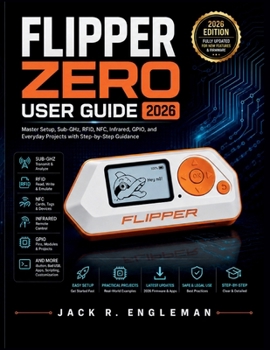
Flipper Zero User Guide 2026: Master Setup, Sub-GHz, RFID, NFC, Infrared, GPIO, and Everyday Projects with Step-by-Step Guidance

Getting more from your Flipper Zero begins with understanding what each tool does, how it works, and when to use it-not simply scrolling through menus.
Flipper Zero combines Sub-GHz radio, 125 kHz RFID, NFC, infrared, iButton, GPIO, USB, Bluetooth, and expandable apps in one compact device. But with different protocols, firmware options, saved files, companion software, and hardware interfaces to learn, getting comfortable with everything it can do can quickly feel overwhelming.
Flipper Zero User Guide 2026 provides a practical, step-by-step path from first-time setup and everyday navigation to working confidently with the device's core tools, managing firmware and files, exploring hardware projects, and troubleshooting common problems.
Inside this guide, you'll learn how to: Get Started with Confidence: Understand your Flipper Zero's controls and hardware, complete first-time setup, select the correct region, install a microSD card, connect to qFlipper, and verify everything is working properlyMaster Sub-GHz: Learn how Sub-GHz works, read and save signals from equipment you own or are authorized to test, use the Frequency Analyzer, understand fixed and rolling codes, organize saved signals, and recognize important transmission limitationsWork with RFID & NFC: Read, save, and emulate compatible 125 kHz RFID cards and NFC tags, understand key NFC information, explore supported card types, and learn why some credentials cannot be fully reproducedExplore Infrared & iButton: Learn signals from compatible infrared remotes, organize and replay saved commands, use the universal remote library, and work with supported iButton keysUnderstand GPIO & Computer Tools: Learn the GPIO header, voltage levels, power pins, USB-to-UART functionality, external hardware connections, Bad USB, and U2F while following appropriate safety and responsible-use practicesManage Apps, Files & Firmware: Use qFlipper and the Flipper Mobile App, install apps, organize files, update firmware, create backups, restore your device, and handle common update or installation problemsBuild Practical Skills: Explore everyday projects, customize your device, build an organized personal key and signal library, maintain battery and storage health, and troubleshoot common issues
The guide is structured for both step-by-step learning and quick reference, allowing beginners to work through it from start to finish or jump directly to the feature they need. The manuscript also includes quick-reference appendices covering technical specifications, GPIO pinouts and controls, supported protocols, troubleshooting, terminology, and a full index.
Stop piecing together scattered tutorials every time you want to try something new. Build the practical Flipper Zero skills you need to set up, explore, customize, troubleshoot, and use your device with greater confidence-responsibly and on systems you own or are authorized to test.
Customer Reviews
ThriftBooks ® and the ThriftBooks ® logo are registered trademarks of Thrift Books Global, LLC