


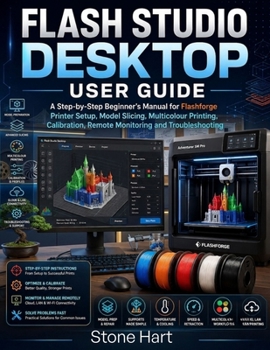
Flash Studio Desktop User Guide

Are you struggling to understand slicer settings, connect your Flashforge printer, prepare models correctly, or achieve consistent print quality?
Flash Studio Desktop User Guide provides a clear, practical, and beginner-friendly path from software installation to successful 3D printing. Whether you are using Flash Studio Desktop for the first time, moving from Orca-Flashforge or FlashPrint, or looking to improve your existing workflow, this guide explains every important step in simple language.
Instead of overwhelming you with unexplained technical terms, this manual shows you how to prepare real projects, select the correct printer and filament profiles, adjust essential slicing settings, inspect toolpaths, transfer print files, and troubleshoot common problems.
Inside this guide, you will learn how to:
Download, install, and configure Flash Studio Desktop on a compatible computer
Add the correct Flashforge printer, nozzle, filament, and process profiles
Understand the Home, Prepare, Preview, and Device workspaces
Import, move, rotate, resize, arrange, split, and repair 3D models
Work confidently with STL, 3MF, OBJ, project, and G-code files
Choose suitable settings for PLA, PETG, ABS, ASA, and TPU
Adjust layer height, walls, infill, speed, temperature, cooling, and retraction
Improve first-layer adhesion with skirts, brims, rafts, and proper build-plate preparation
Generate normal or tree supports and customise support placement
Inspect layers, seams, travel paths, bridges, supports, and infill in Preview
Connect and print through cloud mode, LAN-only mode, Wi-Fi, or USB
Monitor compatible printers, camera feeds, temperatures, and print progress
Prepare multicolour models, assign filament slots, paint surfaces, and reduce purge waste
Calibrate temperature, flow rate, pressure advance, retraction, speed, and the first layer
Solve stringing, warping, under-extrusion, rough surfaces, layer shifts, weak parts, and connection failures
Save, organise, and back up reliable custom profiles for future projects
The guide also includes practical projects, quick-start instructions, recommended beginner settings, filament references, calibration checklists, troubleshooting charts, frequently asked questions, and a detailed glossary of essential 3D-printing terms.
This book is ideal for:
New Flashforge printer owners
Flash Studio Desktop and Orca-Flashforge users
Hobbyists and home makers
Teachers, students, and educational laboratories
Designers and prototype developers
Small businesses and print-farm operators
Anyone who wants more reliable, cleaner, and stronger 3D prints
You do not need previous slicing or 3D-printing experience. Each chapter follows a logical step-by-step progression, helping you understand not only which setting to use, but also why it matters and when it should be changed.
Stop wasting filament on avoidable failures and confusing trial-and-error adjustments. Build a dependable workflow, create better profiles, and prepare your Flashforge projects with greater accuracy and confidence.
Customer Reviews
ThriftBooks ® and the ThriftBooks ® logo are registered trademarks of Thrift Books Global, LLC
