


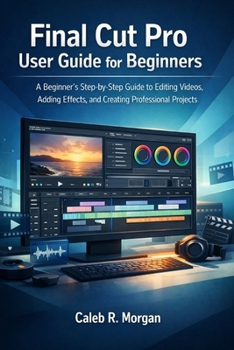
Final Cut Pro User Guide for Beginners: Step-by-A Beginner's Step-by-Step Guide to Editing Videos, Adding Effects, and Creating Professional Projects
No Customer Reviews

It started with a simple goal: trim a few clips, add music, and export a short video.
Then came timelines, inspectors, effects panels, libraries, and unfamiliar tools. Suddenly, Final Cut Pro felt overwhelming.
If that sounds familiar, this book was written for you.
Final Cut Pro User Guide for Beginners is a practical, step-by-step educational user guide that walks you from your first edit to polished, share-ready videos, without jargon or confusing shortcuts.
You'll learn how to: Set up Final Cut Pro correctlyUnderstand the interface, timelines, libraries, events, and projectsImport and organize footage like a proEdit cleanly with trims, cuts, and transitionsImprove audio and sync external soundAdd titles, effects, and color gradingUse advanced tools like multicam and speed rampingExport high-quality videos for YouTube and social mediaComplete real beginner projects including talking-head videos, promos, reels, and mini documentariesThis guide is perfect for complete beginners, content creators, students, hobbyists, and anyone who wants to edit videos confidently on Mac.
By the end, you won't just know where the buttons are.
You'll know how to finish real videos.
This book is an independent educational publication and is not affiliated with, endorsed by, or sponsored by Apple Inc.. Final Cut Pro is a trademark of Apple Inc., and all other trademarks and product names belong to their respective owners and are used for identification purposes only. This user guide is provided strictly for educational purposes. Software features and interfaces may change over time, and the author makes no guarantees regarding results and is not responsible for any data loss, system issues, or project outcomes. Always back up your work before applying new techniques.
Then came timelines, inspectors, effects panels, libraries, and unfamiliar tools. Suddenly, Final Cut Pro felt overwhelming.
If that sounds familiar, this book was written for you.
Final Cut Pro User Guide for Beginners is a practical, step-by-step educational user guide that walks you from your first edit to polished, share-ready videos, without jargon or confusing shortcuts.
You'll learn how to: Set up Final Cut Pro correctlyUnderstand the interface, timelines, libraries, events, and projectsImport and organize footage like a proEdit cleanly with trims, cuts, and transitionsImprove audio and sync external soundAdd titles, effects, and color gradingUse advanced tools like multicam and speed rampingExport high-quality videos for YouTube and social mediaComplete real beginner projects including talking-head videos, promos, reels, and mini documentariesThis guide is perfect for complete beginners, content creators, students, hobbyists, and anyone who wants to edit videos confidently on Mac.
By the end, you won't just know where the buttons are.
You'll know how to finish real videos.
This book is an independent educational publication and is not affiliated with, endorsed by, or sponsored by Apple Inc.. Final Cut Pro is a trademark of Apple Inc., and all other trademarks and product names belong to their respective owners and are used for identification purposes only. This user guide is provided strictly for educational purposes. Software features and interfaces may change over time, and the author makes no guarantees regarding results and is not responsible for any data loss, system issues, or project outcomes. Always back up your work before applying new techniques.
Format:Paperback
Language:English
ISBN:B0GM6W3JDZ
ISBN13:9798247193418
Release Date:February 2026
Publisher:Independently Published
Length:104 Pages
Weight:0.33 lbs.
Dimensions:0.2" x 6.0" x 9.0"
Customer Reviews
0 rating
Copyright © 2026 Thriftbooks.com
Terms of Use | Privacy Policy | Do Not Sell/Share My Personal Information | Cookie Policy | Cookie Preferences | Accessibility Statement
ThriftBooks ® and the ThriftBooks ® logo are registered trademarks of Thrift Books Global, LLC
ThriftBooks ® and the ThriftBooks ® logo are registered trademarks of Thrift Books Global, LLC
