


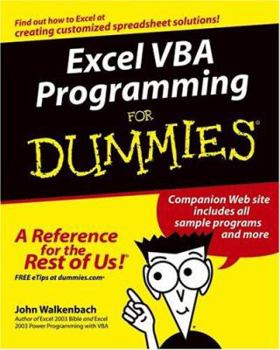


Book Overview
Having Excel and just using it for standard spreadsheets is a little like getting the ultimate cable system and a 50" flat panel plasma HDTV and using it exclusively to watch Lawrence Welk reruns. With Visual Basic for Applications (VBA) programming, you can take advantage of numerous Excel options such as: creating new worksheet functions; automating tasks and operations; creating new appearances, toolbars, and menus; designing custom dialog boxes and add-ins; and much more. This guide is not for rank Excel amateurs. It's for intermediate to advanced Excel users who want to learn VBA programming (or whose bosses want them to learn VBA programming). You need to know your way around Excel before you start creating customized short cuts or systems for speeding through Excel functions. If you're an intermediate or advanced Excel user, Excel VBA For Dummies helps you take your skills (and your spreadsheets) to the next level. It includes: An introduction to the VBA language A hands-on, guided, step-by-step walk through developing a useful VBA macro, including recording, testing, and changing it, and testing it The essential foundation, including the Visual Basic Editor (VBE) and its components, modules, Excel object model, subroutines and functions, and the Excel macro recorder The essential VBA language elements, including comments, variables and constants, and labels Working with Range objects and discovering useful Range objective properties and methods Using VBA and worksheet functions, including a list and examples Programming constructions, including the GoTo statement, the If-Then structure, Select Case, For-Next loop, Do-While loop, and Do-Until loop Automatic procedures and Workbook events, including a table and event-handler procedures Error-handling and bug extermination techniques, and using the Excel debugging tools Creating custom dialog boxes, also known as UserForms, with a table of the toolbox controls and their capabilities, how-to for the dialog box controls, and UserForm techniques and tricks Customizing the Excel toolbars Using VBA code to modify the Excel menu system Creating worksheet functions and working with various types of arguments Creating Excel add-ins such as new worksheet functions you can use in formulas or new commands or utilities Author John Walkenbach is a leading authority on spreadsheet software and the author of more than 40 spreadsheet books including Excel 2003 Bible and Excel 2003 Power Programming with VBA. While this guide includes tons of examples and screenshots, Walkenbach knows there's no substitute for hands-on learning. The book is complete with: A dedicated companion Web site that includes bonus chapters plus all sample programs to save you a lot of typing and let you play around and experiment with various changes Information to help you make the most of Excel's built-in Help system so you can find out other stuff you may need to know What are you waiting for? Sure, learning to do VBA programming takes a little effort, but it's a Very Big Accomplishment.
Format:Paperback
Language:English
ISBN:0764574124
ISBN13:9780764574122
Release Date:August 2004
Publisher:For Dummies
Length:408 Pages
Weight:1.38 lbs.
Dimensions:9.2" x 0.8" x 7.4"
Customer Reviews
4 ratings
This is the place to start with Excel VBA
Published by Thriftbooks.com User , 19 years ago
Plenty of fellow office workers have all come upon the same plight I did not too long ago. We're going along with our busy non-programming related work when all of a sudden *bam!* the boss decides we are the perfect candidates to either implement a new software solution or simplify/refine an existing one. I'd dabbled in C++ and Liberty Basic for my own personal use before, but had absolutely no experience whatsoever working in Visual Basic for Applications, and no knowledge of how to make all the different components of the Microsoft Office suite work in tandem. "Excel VBA Programming for Dummies" entered stage left, and completely saved me from bringing down the whole play. Someone with absolutely no programming experience at all could pick this book up and be pumping out simple VBA applications within a day. The whole thing is very user friendly, and includes a lot of tips that individuals new to VBA or the office suite won't think to check. The first chapter briefly describes exactly what VBA is, how it interacts with the office suite, and then gives an overview of the different versions of Excel and how they differ. From chapter two onward it's all VBA, progressively adding on new concepts to move the reader upward towards VBA mastery. As this is a "For Dummies" book, all the basic information such as code syntax and the various dialog boxes are presented in detail, providing a firm foundation for the user to expand on in his own experimentation and further study. A few tidbits of more advanced information, pertaining to the most frequently needed solutions, are presented throughout the book. For example, towards the end the author clearly explains how to use VBA to open up a blank e-mail and populate it with information from an Excel spreadsheet, as this is a rather commonly needed use for VBA, but it does require a little extra knowledge beyond the absolute basics. My only real complaint about this book would be that it never adequately explains when VBA should be used versus when normal Excel forumulas would suffice, or most importantly, when a good combination of the two are called for. As the focus of the book is on teaching VBA basics however, this can be overlooked. Anyone needing to learn the basics of VBA quickly but lacking a teacher to explain everything should do themselves the favor of picking Excel VBA Programming for Dummies. If you need info beyond the basics, and want to take your skills to the next level, move on to "Professional Excel Development : The Definitive Guide to Developing Applications Using Microsoft Excel and VBA" after mastering the info presented in this book.
Worth the money
Published by Thriftbooks.com User , 21 years ago
I bought this book because of good reviews, and was quite pleased. I have some of a background in programming (decent at PERL, a tiny bit of visual basic), but had never done it in excel. I wanted to learn VBA for excel to automate my data analysis for a psychology experiment I am running. I knew that the actual program I would need to write would be fairly simple (just some contingent branching that averages response times for like responses together), but I needed to know the way to reference everything for excel and excel objects. In under two days (and 150 pages of this book), I was able to write the necessary code. Dummies books are usually good, and this one is great for ease of reading and clarity and organization.
Quick, Accurate, Not Just For Dummies - A Trusted Author
Published by Thriftbooks.com User , 21 years ago
I needed to quickly do a macro for a large Excel workbook. Although I have programmed off and on for thirty years, I have done little with VBA. One night with this book was all that it took to learn the basics; and I completed the project the following day with only brief use of one other VBA reference book. As noted by another, Wallenbach is the best-known author of books on VBA for Excel and writes with a pleasant style - friendly enough but little of the silliness of some introductory books. The book is written for those with good familiarity with Excel but with little or no prior programming experience. It seems also to be a good quick-start or overview for those with more experience. Code samples are quite short and can be downloaded from the web. There is no CD. You must have Excel 2000 or later. (The book itself was published in 2004. VBA for Excel has changed little since the Excel 2000 version.) You may want Wallenbach's 1018-page "Excel 2003 Power Programming with VBA" or other general reference for heavy-duty VBA work, although of course the on-line Microsoft documentation for VBA is very, very extensive. VBA is of course very similar to its big-brother, the general-purpose language, VB.NET. If you are new to programming and enjoy this book, you can move on to VB.NET easily. Hey, you're not writing macros with VBA, you're programming!!
3 Good Reasons To Buy This Book
Published by Thriftbooks.com User , 21 years ago
When all is said and done, John Walkenbach only has three things going for him: One, he really knows what he is talking about. While this is a For Dummies book, and doesn't go down really into the Power Programming (that's another of his books) level, they couldn't have gotten a more knowledgeable person to write it. You can take what he says in the book (or on the books companion web site just in case a typo made it through the editing system) as something handed down on stone tablets. Second, he really knows how to convey the information he has. I find his writing style to be well laid out, informative, almost a pleasure to read (true pleasure I associate with good Science Fiction, not any computer book). Third, he really seems to be a nice guy. While I've never met him, the home page on his web site (given at the very beginning of the book) has a has a link - Send e-mail to John Walkenbach. On a couple of occassions, I've had a reason to send him an e-mail asking a question. He's answered promptly, curteously and save me a whole bunch of time. If you want a quick and rapid introduction to macros or VBA programming (in Excel these are the same thing), something that will get you started, this is an excellent choice. As you become a power user, buy his Power Programming with VBA book, and indeed his other Excel books.
Copyright © 2026 Thriftbooks.com Terms of Use
| Privacy Policy | Do Not
Sell/Share My Personal Information | Cookie Policy | Cookie Preferences | Accessibility Statement
ThriftBooks® and the ThriftBooks® logo are registered trademarks of Thrift Books Global, LLC
ThriftBooks® and the ThriftBooks® logo are registered trademarks of Thrift Books Global, LLC
