


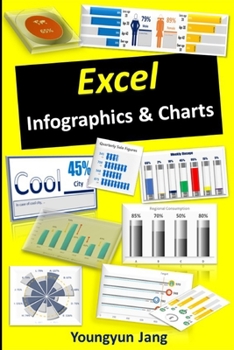
Excel Infographics & Charts
No Customer Reviews

Purpose of book:I really do not want that people are sitting on the desk due to making a nice graphs or chart for their reports, assignments, presentation, meeting materials. Let's do not work overtime because of this!Simply, let's get rid of any stress from making nice Excel charts!I hope that this book saves your precious time for creating Excel charts and provides good results with you."This Book!"- Definitely, you are able to create your own unique Excel charts after mastering the chart techniques in this book.- You make yourself like a superstar with beautiful & amazing charts in your presentations or reports.- You can walk away from the same Excel charts which everybody creates.- Without knowing these techniques, it is quite difficult to create these charts.How to use "this Book!"- Are you crazy? No need to read whole book. Just jump into the chart you like to make.- I am so busy! Just use the example charts in Excel file with some adjustments.1. Creating techniques = How to catch fish2. Example charts in Excel file = fish which already caught- No need to buy the newest Microsoft office package.* Excel 2013, Excel 2016, 2019, Excel 365 are suitable for this book.* However, Excel 2010 or older versions does NOT fit for this book. This is because combined charts are used a lot in this book.- Is it possible to combine these chart techniques one another?Yes, of course, you can!* This book contains 14 different methods to create unique Excel charts.* The description for chart creations in the book is straightforward.- I do not know about Excel functions. Is it okay?Definitely, no problem. The usage of Excel functions is quite limited on the chart creation in this book. Don't worry about fancy Excel functions.Who needs this book:* who wants to show beautiful charts in her/his meeting materials, presentation, reports, etc.* who wants to create unique charts for her/his dash board* who does not overwork due to making nice charts for quarterly or annual reportsContents:E-book (184 pages) & Example Charts Excel file (25 worksheets).* Each worksheet contains one Excel chart technique or reference data. All charts are dynamically changed by input values' movements.Applied Excel version:Professional Plus 2016 is used in this book. The applied Excel version does not include 'ICON functionality & its usage'. However, the ICON functionality is not really necessary for this book.About AuthorYoungyun Jang has worked for one of well-known global financial firms as an analyst over 15 years. He has various working experience with financial modelling, reporting, presentations and multiple projects over a decade. He specialized in financial engineering & applied statistics.
Format:Paperback
Language:English
ISBN:B08M255TKT
ISBN13:9798551080824
Release Date:October 2020
Publisher:Independently Published
Length:220 Pages
Weight:0.66 lbs.
Dimensions:0.5" x 6.0" x 9.0"
Customer Reviews
0 rating
Copyright © 2025 Thriftbooks.com
Terms of Use | Privacy Policy | Do Not Sell/Share My Personal Information | Cookie Policy | Cookie Preferences | Accessibility Statement
ThriftBooks ® and the ThriftBooks ® logo are registered trademarks of Thrift Books Global, LLC
ThriftBooks ® and the ThriftBooks ® logo are registered trademarks of Thrift Books Global, LLC
