


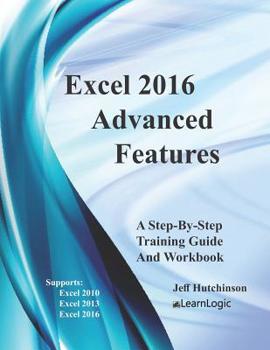
Excel 2016 Advanced Features: Support Excel 2010, 2013, And 2016
No Customer Reviews

This Step-By-Step Workbook will guide you through learning the advanced Excel concepts including Protection, Data Validation, Conditional Format, Import/Export, PivotTable, and PowerPivot. It can be used by a beginner to understand core concepts, and an advanced student to learn the "in's and out's" of Excel. Included are over 170 Practice Exercises that demonstrate how to use Excel concepts. They can also be used as a reference guide to quickly look up specific topics. What's is in the workbook?Click on the left side of the screen: Look Inside
Enter one of the following keywords: Variables, Range, Input Boxes, VB Editor, etc.
Take A Class: http: //www.elearnlogic.com/download/schedule.pdf Advanced Features - Protection, Validation, And Conditional Formatting
In this group of chapters, students will learn the advanced "in's and out's" of Excel. The following topics will be covered: How to protect cells.How to open a file with protection.How to share a workbook on a server folder.How to track changes.How to format cells based on specific conditions.Data ValidationData Validation Dropdown ListsMacros and how they allow for the automation of routine tasks.Formula Troubleshooting Techniques.How to trace a cell. (Error Checking, Circular Reference, and Evaluating Formulas).How to watch formulas across worksheets and workbooks.What-If AnalysisScenariosGoal-SeekSolverComma Delimited File Export and ImportHow to consolidate Worksheets.
Advanced PivotTables
PivotTables will cover Filtering, Formatting, PivotCharts, Label Adjustments, and Calculation Capability. PivotTables are very similar in all versions; however, new features that have been added to Excel 2013 and 2016 will also be covered. Advanced Power Add-Ins
PowerPivot Add-Ins have been created by the Business Intelligence organization within Microsoft. They are automatically added in Excel 2010/2013 which means they are available to use in the options menu. PowerPivot is a technique used to create relationships between sheets, similar to Access databases. *************************************************************************
Design Strategy - This will explain how the workbook/guide was designed.
This workbook is designed in conjunction with an Online-Instructor-Led course (for more information see: www.elearnlogic.com). Unlike other computer guides, students will not need to review lengthy procedures in order to understand a topic. All that is necessary are the brief statements and command paths located within the guide that demonstrate how a concept is used. There are many Step-By-Step Practice Exercises and more comprehensive Student Projects offered to help students better understand concepts. The following is the basic structure of the workbook: Concept Name - Each concept contains a short description, a definition how to use it and TIP providing additional help ideas.Practice Exercise - Most concepts provide a 2-4 minute step-by-step practice so you can understand how to use it. Furthermore, they will find that this workbook/guide can often be used as a reference to help them understand concepts quickly and thoroughly. An index is also provided on the last page to reference important topics as necessary. However, if more detail is needed for study, the Internet can be used, as well, to search a concept. Also, if student's skills are weak due to lack of implementation, they can refresh their knowledge quickly by visually scanning concepts of choice, and then testing them out using the application.
Enter one of the following keywords: Variables, Range, Input Boxes, VB Editor, etc.
Take A Class: http: //www.elearnlogic.com/download/schedule.pdf Advanced Features - Protection, Validation, And Conditional Formatting
In this group of chapters, students will learn the advanced "in's and out's" of Excel. The following topics will be covered: How to protect cells.How to open a file with protection.How to share a workbook on a server folder.How to track changes.How to format cells based on specific conditions.Data ValidationData Validation Dropdown ListsMacros and how they allow for the automation of routine tasks.Formula Troubleshooting Techniques.How to trace a cell. (Error Checking, Circular Reference, and Evaluating Formulas).How to watch formulas across worksheets and workbooks.What-If AnalysisScenariosGoal-SeekSolverComma Delimited File Export and ImportHow to consolidate Worksheets.
Advanced PivotTables
PivotTables will cover Filtering, Formatting, PivotCharts, Label Adjustments, and Calculation Capability. PivotTables are very similar in all versions; however, new features that have been added to Excel 2013 and 2016 will also be covered. Advanced Power Add-Ins
PowerPivot Add-Ins have been created by the Business Intelligence organization within Microsoft. They are automatically added in Excel 2010/2013 which means they are available to use in the options menu. PowerPivot is a technique used to create relationships between sheets, similar to Access databases. *************************************************************************
Design Strategy - This will explain how the workbook/guide was designed.
This workbook is designed in conjunction with an Online-Instructor-Led course (for more information see: www.elearnlogic.com). Unlike other computer guides, students will not need to review lengthy procedures in order to understand a topic. All that is necessary are the brief statements and command paths located within the guide that demonstrate how a concept is used. There are many Step-By-Step Practice Exercises and more comprehensive Student Projects offered to help students better understand concepts. The following is the basic structure of the workbook: Concept Name - Each concept contains a short description, a definition how to use it and TIP providing additional help ideas.Practice Exercise - Most concepts provide a 2-4 minute step-by-step practice so you can understand how to use it. Furthermore, they will find that this workbook/guide can often be used as a reference to help them understand concepts quickly and thoroughly. An index is also provided on the last page to reference important topics as necessary. However, if more detail is needed for study, the Internet can be used, as well, to search a concept. Also, if student's skills are weak due to lack of implementation, they can refresh their knowledge quickly by visually scanning concepts of choice, and then testing them out using the application.
Format:Paperback
Language:English
ISBN:1975986598
ISBN13:9781975986599
Release Date:August 2017
Publisher:Createspace Independent Publishing Platform
Length:142 Pages
Weight:0.76 lbs.
Dimensions:0.3" x 8.5" x 11.0"
Customer Reviews
0 rating
Copyright © 2026 Thriftbooks.com Terms of Use
| Privacy Policy | Do Not
Sell/Share My Personal Information | Cookie Policy | Cookie Preferences | Accessibility Statement
ThriftBooks® and the ThriftBooks® logo are registered trademarks of Thrift Books Global, LLC
ThriftBooks® and the ThriftBooks® logo are registered trademarks of Thrift Books Global, LLC
