


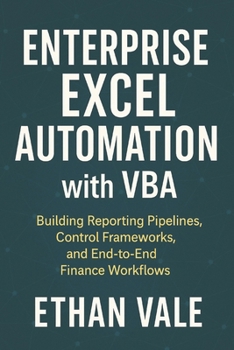
Enterprise Excel Automation with VBA: Building Reporting Pipelines, Control Frameworks, and End-to-End Finance Workflows

Excel is embedded in nearly every finance organization, yet most Excel automation fails for the same reasons: fragile macros, undocumented logic, manual workarounds, and tools that only their creator can maintain.
This book is about building Excel systems that survive real organizations.
Enterprise Excel Automation with VBA shows how to design VBA-driven workflows that are reliable, auditable, and scalable across teams, time horizons, and changing business requirements. It treats Excel not as a personal productivity tool, but as an enterprise automation platform when engineered correctly.
Rather than focusing on individual macros, this book addresses end-to-end automation design. It covers how data enters a system, how it is validated and transformed, how reports are generated, and how controls are embedded to prevent silent failures and misuse.
Inside, you will learn how to:
Design automated reporting pipelines using VBA
Build reusable Excel tools that multiple users cannot break
Implement data validation, error handling, and control checks
Structure VBA projects for collaboration and long-term maintenance
Create audit-friendly workflows for finance and reporting teams
Reduce manual intervention while improving reliability and transparency
Translate business processes into robust Excel automation systems
This book bridges the gap between ad-hoc Excel macros and professionally engineered financial workflows. The principles apply directly to FP&A, reporting, budgeting, forecasting, and operational finance environments where Excel remains mission-critical.
It is ideal for:
Finance professionals building tools for teams, not just themselves
FP&A and reporting leads managing complex Excel workflows
Power users responsible for automation reliability and governance
Analysts tasked with reducing operational risk and manual effort
If you rely on Excel to run important processes, this book shows how to elevate VBA automation from fragile scripts into durable, enterprise-ready systems.
This is not about making Excel "do more."
It is about making Excel work properly at scale.
Customer Reviews
ThriftBooks ® and the ThriftBooks ® logo are registered trademarks of Thrift Books Global, LLC
