


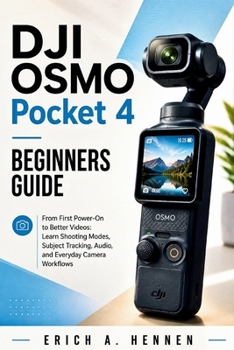
DJI Osmo Pocket 4 Beginners Guide: From First Power-On to Better Videos: Learn Shooting Modes, Subject Tracking, Audio, and Everyday Camera Workflows
No Customer Reviews

Getting good footage from a compact gimbal camera should not require hours of trial and error.
This guide walks you through the camera from the first setup to everyday shooting. Start with the physical controls, storage, charging, activation, and firmware updates, then work through the touchscreen menus, gimbal controls, zoom, and recording options.
Inside, you'll learn how to:
Set up the camera, memory card, storage, and charging systemActivate the camera and handle firmware updatesNavigate the touchscreen and reach important settings quicklyAdjust resolution, frame rate, recording modes, and gimbal behaviorUse the joystick, zoom controls, shutter button, and other physical controlsSet up subject tracking for people and moving subjectsConfigure audio and connect compatible wireless microphonesTransfer footage to a phone or computerBuild practical shooting routines for vlogging, travel, family videos, and everyday contentTroubleshoot common setup, storage, control, and recording problemsThe book also includes checklists, quick-reference material, troubleshooting tables, and field-test scenarios designed to make the information useful during actual shooting.
If you're starting with this camera and want a clear path from setup to real-world use, this guide gives you the essential information in one place.
Format:Paperback
Language:English
ISBN:B0HGYNPMCX
ISBN13:9798170390861
Release Date:August 2026
Publisher:Independently Published
Length:78 Pages
Weight:0.26 lbs.
Dimensions:0.2" x 6.0" x 9.0"
Customer Reviews
0 rating
Copyright © 2026 Thriftbooks.com
Terms of Use | Privacy Policy | Do Not Sell/Share My Personal Information | Cookie Notice | Cookie Preferences | Accessibility Statement
ThriftBooks ® and the ThriftBooks ® logo are registered trademarks of Thrift Books Global, LLC
ThriftBooks ® and the ThriftBooks ® logo are registered trademarks of Thrift Books Global, LLC
