


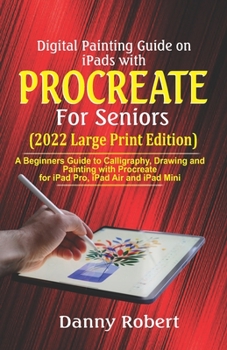
Digital Painting Guide On iPads with Procreate For Seniors (2022 Large Print Edition): A Beginners Guide to Calligraphy, Drawing and Painting With Pro
No Customer Reviews

MASTER PROCREATE FOR DIGITAL PAINTING ON IPAD PRO, IPAD MINI AND IPAD AIR AS A SENIOR
Procreate is an app that blends the sense of conventional drawing with the power of digital art, and it's intended to operate with the iPad devices and Apple Pencil. It is the first graphics and art program designed specifically for mobile devices.
Procreate enables you to quickly create high-quality artwork. Furthermore, this user-friendly software supports pressure sensitivity and Apple Pencil, as well as added features including the use of brush, gesture controls and so much more.
When using Procreate, you have the option of using whatever natural media you like. There's no need to charge the paintbrushes, and you won't have to worry about anything. If you've never used a pencil or paintbrush before, this guide has the perfect information and details to set you on your way to becoming a Procreate pro.
Here is a snippet of what you will learn from this guide: Introduction to Digital Painting in ProcreateProcreate - Getting StartedSome Benefits of ProcreateInstalling the Procreate SoftwareApple Pencil and ProcreateUsing the Procreate AppProcreate InterfacePainting ToolsCustomizing Your InterfaceGestures on ProcreateMost used gesture controlsCreate a New ProjectCopy and Paste MenuOverview of the GalleryCreatePreview ArtworksOrganizing Artworks in GalleryColor theoryRGB ColorsPicking ColorsBrushes OverviewPaint, Smudge, and EraseBrush LibraryType of BrushesOrganizing Brush LibraryMove BrushesDuplicate BrushesDrag and Drop BrushesDelete BrushesRename BrushesCreate BrushesBrush StudioDrawing PadImporting BrushesSharing BrushesLayers Panel InterfaceCreateOrganizing LayersText OverviewAdd TextsEdit Style PanelLayer interactions (Blend Modes)Lightening or darkening modesFontsStyleDesignAttributesImporting Fonts in ProcreateImport Fonts from Edit StyleImport Fonts from Files AppImport Fonts by Drag and DropCustomizing a GuideRotate and Position Guides2D GridIsometric GuidePerspective GuidesVanishing PointsSymmetry GuideDrawing AssistAnimation AssistFrame OptionsPause a FrameDuplicate and Delete FrameAdd Foreground to AnimationAdd Background to AnimationAnimation Settings and Onion SkinningSharing Your AnimationReferencing Your WorkFlipping the CanvasCanvas InformationShare Your ArtworkCreating a Time-Lapse VideoChanging the Time-Lapse SettingsReview and Share Time-lapse VideoUsing a Third-party StylusThe Pressure CurveUsing Gestures in ProcreateFreehand Selection ModeRectangle Selection ModeEllipse Selection ModeMaking and Editing SelectionsTransformRotate and Flip an ImageFit to ScreenInterpolationThe Snapping ToolTweaking the Snapping EffectModes of TransformationPerspectiveOne-point perspective plus exampleTwo Point perspective plus exampleThree point Perspective plus exampleStep by Step guide to drawing a simple pencil sketch on procreateAnd Lots MoreCLICK THE BUY NOW WITH 1-CLICK AT THE TOP RIGHT TO GET STARTED
Procreate is an app that blends the sense of conventional drawing with the power of digital art, and it's intended to operate with the iPad devices and Apple Pencil. It is the first graphics and art program designed specifically for mobile devices.
Procreate enables you to quickly create high-quality artwork. Furthermore, this user-friendly software supports pressure sensitivity and Apple Pencil, as well as added features including the use of brush, gesture controls and so much more.
When using Procreate, you have the option of using whatever natural media you like. There's no need to charge the paintbrushes, and you won't have to worry about anything. If you've never used a pencil or paintbrush before, this guide has the perfect information and details to set you on your way to becoming a Procreate pro.
Here is a snippet of what you will learn from this guide: Introduction to Digital Painting in ProcreateProcreate - Getting StartedSome Benefits of ProcreateInstalling the Procreate SoftwareApple Pencil and ProcreateUsing the Procreate AppProcreate InterfacePainting ToolsCustomizing Your InterfaceGestures on ProcreateMost used gesture controlsCreate a New ProjectCopy and Paste MenuOverview of the GalleryCreatePreview ArtworksOrganizing Artworks in GalleryColor theoryRGB ColorsPicking ColorsBrushes OverviewPaint, Smudge, and EraseBrush LibraryType of BrushesOrganizing Brush LibraryMove BrushesDuplicate BrushesDrag and Drop BrushesDelete BrushesRename BrushesCreate BrushesBrush StudioDrawing PadImporting BrushesSharing BrushesLayers Panel InterfaceCreateOrganizing LayersText OverviewAdd TextsEdit Style PanelLayer interactions (Blend Modes)Lightening or darkening modesFontsStyleDesignAttributesImporting Fonts in ProcreateImport Fonts from Edit StyleImport Fonts from Files AppImport Fonts by Drag and DropCustomizing a GuideRotate and Position Guides2D GridIsometric GuidePerspective GuidesVanishing PointsSymmetry GuideDrawing AssistAnimation AssistFrame OptionsPause a FrameDuplicate and Delete FrameAdd Foreground to AnimationAdd Background to AnimationAnimation Settings and Onion SkinningSharing Your AnimationReferencing Your WorkFlipping the CanvasCanvas InformationShare Your ArtworkCreating a Time-Lapse VideoChanging the Time-Lapse SettingsReview and Share Time-lapse VideoUsing a Third-party StylusThe Pressure CurveUsing Gestures in ProcreateFreehand Selection ModeRectangle Selection ModeEllipse Selection ModeMaking and Editing SelectionsTransformRotate and Flip an ImageFit to ScreenInterpolationThe Snapping ToolTweaking the Snapping EffectModes of TransformationPerspectiveOne-point perspective plus exampleTwo Point perspective plus exampleThree point Perspective plus exampleStep by Step guide to drawing a simple pencil sketch on procreateAnd Lots MoreCLICK THE BUY NOW WITH 1-CLICK AT THE TOP RIGHT TO GET STARTED
Format:Paperback
Language:English
ISBN:B09TF3ZB7Q
ISBN13:9798422611058
Release Date:February 2022
Publisher:Independently Published
Length:224 Pages
Weight:0.58 lbs.
Dimensions:0.5" x 5.5" x 8.5"
Related Subjects
DesignCustomer Reviews
0 rating
Copyright © 2025 Thriftbooks.com
Terms of Use | Privacy Policy | Do Not Sell/Share My Personal Information | Cookie Policy | Cookie Preferences | Accessibility Statement
ThriftBooks ® and the ThriftBooks ® logo are registered trademarks of Thrift Books Global, LLC
ThriftBooks ® and the ThriftBooks ® logo are registered trademarks of Thrift Books Global, LLC
