


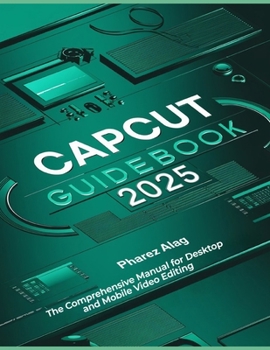
CapCut Guidebook 2025: The Comprehensive Manual for Desktop and Mobile Video Editing
No Customer Reviews

Explore the ever-changing realm of video editing with the help of this thorough beginner's guide. This guide provides an easy-to-use and entertaining learning experience from the initial steps of navigating the UI to mastering sophisticated skills. You will learn how to use a variety of editing tools to turn your unprocessed video into polished, expert output, including cropping, masking, trimming, and applying 3D effects. This book gives you the confidence to work on any kind of video project, whether it's editing for social media, making Instagram Reels, or making personal videos. Even difficult operations like audio extraction, photo alteration, and media management become easy and accessible with clear instructions and real-world examples. All skill levels can benefit from this guide, which will help you establish a strong foundation while introducing more sophisticated capabilities for those who are prepared to progress their editing. Regardless of your level of experience, step-by-step instructions and advice provide the assistance required to ensure the success of every video project. Every reader, from content producers to aspiring filmmakers, will find the resources and motivation they need to realize their ideas thanks to this guide's emphasis on useful workflows and encouragement of creativity.
Keep in mind: there are activities to practice at the end of each chapter in this guide, do well to carry them out in order to enhance your quick understanding.
The sneak peeks of this guide are as follow: OVERVIEW OF CAPCUTCAPCUT: GETTING STARTEDESSENTIAL FUNCTIONS FOR EDITINGVIDEO TRIMMING AND CUTTINGINCLUDING TRANSITIONSAPPLYING THE ESSENTIAL EDITING TOOLS: FLIP, ROTATE, AND CROPINCLUDING SOUND EFFECTS AND MUSICABOUT TEXT AND TITLESABOUT FILTERS AND EFFECTS APPLICATIONKEYFRAME ANIMATION USAGEWAYS TO CREATE MULTI-PHOTO INSTAGRAM REELSABOUT EFFECT OF CHROMA KEY (GREEN SCREEN)COMPREHENDING THE BLENDING MODE AND MASKINGUNDERSTANDING COLOR CORRECTION AND GRADINGHOW TO USE CAPCUT TO TURN YOUR PHOTO INTO A CARTOONHOW TO USE THE CAPCUT APP'S 3D ZOOM EFFECTHOW TO USE CAPCUT TO CLONE YOURSELF IN A VIDEOSHARING AND EXPORTING YOUR VIDEOEDITING VLOGS AND YOUTUBEUTILIZING CAPCUT FOR BUSINESSABOUT FREQUENTLY ASKED QUESTIONS AND TROUBLESHOOTINGAll this and lot more are dealt with in this step-by-step guide, do well to buy it, you will never regret doing so. Happy reading
Keep in mind: there are activities to practice at the end of each chapter in this guide, do well to carry them out in order to enhance your quick understanding.
The sneak peeks of this guide are as follow: OVERVIEW OF CAPCUTCAPCUT: GETTING STARTEDESSENTIAL FUNCTIONS FOR EDITINGVIDEO TRIMMING AND CUTTINGINCLUDING TRANSITIONSAPPLYING THE ESSENTIAL EDITING TOOLS: FLIP, ROTATE, AND CROPINCLUDING SOUND EFFECTS AND MUSICABOUT TEXT AND TITLESABOUT FILTERS AND EFFECTS APPLICATIONKEYFRAME ANIMATION USAGEWAYS TO CREATE MULTI-PHOTO INSTAGRAM REELSABOUT EFFECT OF CHROMA KEY (GREEN SCREEN)COMPREHENDING THE BLENDING MODE AND MASKINGUNDERSTANDING COLOR CORRECTION AND GRADINGHOW TO USE CAPCUT TO TURN YOUR PHOTO INTO A CARTOONHOW TO USE THE CAPCUT APP'S 3D ZOOM EFFECTHOW TO USE CAPCUT TO CLONE YOURSELF IN A VIDEOSHARING AND EXPORTING YOUR VIDEOEDITING VLOGS AND YOUTUBEUTILIZING CAPCUT FOR BUSINESSABOUT FREQUENTLY ASKED QUESTIONS AND TROUBLESHOOTINGAll this and lot more are dealt with in this step-by-step guide, do well to buy it, you will never regret doing so. Happy reading
Format:Paperback
Language:English
ISBN:B0DRSS5VW4
ISBN13:9798305114164
Release Date:December 2024
Publisher:Independently Published
Length:206 Pages
Weight:1.08 lbs.
Dimensions:0.4" x 8.5" x 11.0"
Customer Reviews
0 rating
Copyright © 2026 Thriftbooks.com Terms of Use
| Privacy Policy | Do Not
Sell/Share My Personal Information | Cookie Policy | Cookie Preferences | Accessibility Statement
ThriftBooks® and the ThriftBooks® logo are registered trademarks of Thrift Books Global, LLC
ThriftBooks® and the ThriftBooks® logo are registered trademarks of Thrift Books Global, LLC
