


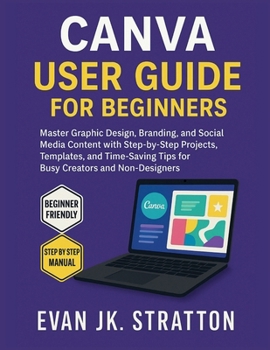
Canva User Guide for Beginners: Master Graphic Design, Branding, and Social Media Content with Step-by-Step Projects, Templates, and Time-Saving Tips

Just opened Canva for the first time and feeling overwhelmed by all the tools, templates, and tabs? Not sure how to design anything that looks professional? You're not alone-but you've just found the perfect solution.
Canva User Guide for Beginners is your all-in-one blueprint to mastering Canva's powerful yet easy-to-use design platform. Whether you're creating Instagram posts, business cards, resumes, presentations, or brand kits, this comprehensive guide walks you through it all-step by step and click by click. Built specifically for non-designers and time-starved creatives, this book helps you confidently bring your ideas to life-even if you've never designed anything before.
From branding basics to social media graphics and from video editing to smart automation tools, you'll discover how to make stunning visuals quickly, effectively, and with zero frustration. With clear walkthroughs, labeled screenshots, and beginner-friendly instructions, you won't just learn what to do-you'll understand why it works and how to do it again and again.
What You'll Find Inside: A full tour of Canva's interface-home screen, templates, tools, sidebars, layers, and workspace navigationStep-by-step guidance on designing logos, flyers, Instagram posts, YouTube thumbnails, and moreHow to use Canva's drag-and-drop editor, font pairing tools, background remover, and SmartmockupsTips for using animations, transitions, and audio/video elements to boost visual engagementSocial media integration: how to design, schedule, and publish posts directly from CanvaCanva Pro vs. Free: what features are worth paying for and how to make the most of eachReal-world projects to build your confidence-personal brand kit, business card, social media campaignCollaboration tools for teams and clients-how to share, comment, and co-create designsVisual checklists for layout alignment, typography hierarchy, and color harmonyPractical troubleshooting for resolution issues, export settings, mobile glitches, and printing concernsBonus cheat sheets: Canva keyboard shortcuts, file types, design sizes, and must-know terms
Why This Book Stands Out:
Unlike generic tutorials or scattered YouTube videos, this book is structured, visual, and made for real beginners. Every explanation is paired with examples. Every tool is introduced in the context of a project. And every page is designed to get you results-not overwhelm.
Perfect For: First-time Canva users who want to create polished designs without any design degreeSmall business owners, influencers, freelancers, marketers, and students who want fast resultsBusy creators looking to save time with templates, brand kits, and automation toolsAnyone who wants to design social media graphics, presentations, or marketing materials that actually look good
Ready to create stunning graphics, posts, and branding-even if you've never designed before?
Let this friendly, visually-rich guide turn Canva into your favorite creative tool and help you design with confidence, clarity, and style-starting today.
Customer Reviews
ThriftBooks® and the ThriftBooks® logo are registered trademarks of Thrift Books Global, LLC
