


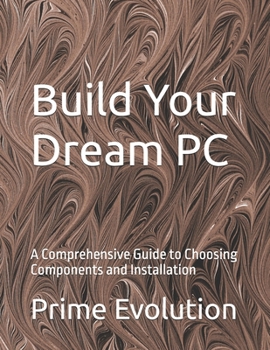
Build Your Dream PC: A Comprehensive Guide to Choosing Components and Installation
No Customer Reviews

Build Your Dream PC: A Comprehensive Guide to Choosing Components and Installation
Table of Contents:
Chapter 1: Introduction to PC Building
Why Build Your Own PC?
Understanding the Basics of PC Components
Tools and Workspace Preparation
Chapter 2: Planning Your Build
Defining Your PC's Purpose (Gaming, Workstation, etc.)
Setting a Budget
Researching Compatibility and Performance
Chapter 3: Choosing the Right CPU
Understanding CPU Specifications
Intel vs. AMD
Matching the CPU with Your Needs
Chapter 4: Motherboards Explained
Types of Motherboards (ATX, Micro-ATX, Mini-ITX)
Key Features to Consider
Ensuring Compatibility with CPU and Other Components
Chapter 5: Memory (RAM) Selection
Importance of RAM in Performance
DDR Types and Speeds
How Much RAM Do You Need?
Chapter 6: Picking the Perfect GPU
GPU Basics and Importance
Gaming vs. Professional Work GPUs
Matching GPU with Your Monitor and Use Case
Chapter 7: Storage Solutions
SSDs vs. HDDs: Speed vs. Capacity
Understanding NVMe and SATA SSDs
How Much Storage is Enough?
Chapter 8: Power Supply Units (PSUs)
Importance of a Reliable PSU
Calculating Power Requirements
Modular vs. Non-Modular PSUs
Chapter 9: Cooling Solutions
Air Cooling vs. Liquid Cooling
Choosing the Right CPU Cooler
Case Fans and Proper Airflow
Chapter 10: Choosing a PC Case
Size and Form Factor Considerations
Case Features and Aesthetics
Ensuring Proper Fit for Components
Chapter 11: Assembling the Components
Step-by-Step Assembly Guide
Best Practices for Cable Management
Avoiding Common Mistakes
Chapter 12: Installing the Operating System
Choosing the Right OS
Installation Process for Windows/Linux
Initial Setup and Configuration
Chapter 13: Updating Drivers and BIOS
Importance of Up-to-Date Drivers
How to Update BIOS
Troubleshooting Driver Issues
Chapter 14: Benchmarking and Stress Testing
Tools for Benchmarking
Interpreting Benchmark Results
Stress Testing for Stability
Chapter 15: Maintenance and Upgrades
Routine Maintenance Tips
Identifying Upgrade Opportunities
Ensuring Longevity of Your PC
Conclusion:
Final Thoughts on PC Building
Resources for Further Learning
Encouraging DIY and Continuous Improvement
This structure covers all the fundamental aspects of building a PC, from planning and component selection to assembly, installation, and maintenance.
Table of Contents:
Chapter 1: Introduction to PC Building
Why Build Your Own PC?
Understanding the Basics of PC Components
Tools and Workspace Preparation
Chapter 2: Planning Your Build
Defining Your PC's Purpose (Gaming, Workstation, etc.)
Setting a Budget
Researching Compatibility and Performance
Chapter 3: Choosing the Right CPU
Understanding CPU Specifications
Intel vs. AMD
Matching the CPU with Your Needs
Chapter 4: Motherboards Explained
Types of Motherboards (ATX, Micro-ATX, Mini-ITX)
Key Features to Consider
Ensuring Compatibility with CPU and Other Components
Chapter 5: Memory (RAM) Selection
Importance of RAM in Performance
DDR Types and Speeds
How Much RAM Do You Need?
Chapter 6: Picking the Perfect GPU
GPU Basics and Importance
Gaming vs. Professional Work GPUs
Matching GPU with Your Monitor and Use Case
Chapter 7: Storage Solutions
SSDs vs. HDDs: Speed vs. Capacity
Understanding NVMe and SATA SSDs
How Much Storage is Enough?
Chapter 8: Power Supply Units (PSUs)
Importance of a Reliable PSU
Calculating Power Requirements
Modular vs. Non-Modular PSUs
Chapter 9: Cooling Solutions
Air Cooling vs. Liquid Cooling
Choosing the Right CPU Cooler
Case Fans and Proper Airflow
Chapter 10: Choosing a PC Case
Size and Form Factor Considerations
Case Features and Aesthetics
Ensuring Proper Fit for Components
Chapter 11: Assembling the Components
Step-by-Step Assembly Guide
Best Practices for Cable Management
Avoiding Common Mistakes
Chapter 12: Installing the Operating System
Choosing the Right OS
Installation Process for Windows/Linux
Initial Setup and Configuration
Chapter 13: Updating Drivers and BIOS
Importance of Up-to-Date Drivers
How to Update BIOS
Troubleshooting Driver Issues
Chapter 14: Benchmarking and Stress Testing
Tools for Benchmarking
Interpreting Benchmark Results
Stress Testing for Stability
Chapter 15: Maintenance and Upgrades
Routine Maintenance Tips
Identifying Upgrade Opportunities
Ensuring Longevity of Your PC
Conclusion:
Final Thoughts on PC Building
Resources for Further Learning
Encouraging DIY and Continuous Improvement
This structure covers all the fundamental aspects of building a PC, from planning and component selection to assembly, installation, and maintenance.
Format:Paperback
Language:English
ISBN:B0FDM2MP96
ISBN13:9798288545795
Release Date:June 2025
Publisher:Independently Published
Length:136 Pages
Weight:0.73 lbs.
Dimensions:0.3" x 8.5" x 11.0"
Customer Reviews
0 rating
Copyright © 2026 Thriftbooks.com
Terms of Use | Privacy Policy | Do Not Sell/Share My Personal Information | Cookie Policy | Cookie Preferences | Accessibility Statement
ThriftBooks ® and the ThriftBooks ® logo are registered trademarks of Thrift Books Global, LLC
ThriftBooks ® and the ThriftBooks ® logo are registered trademarks of Thrift Books Global, LLC
