


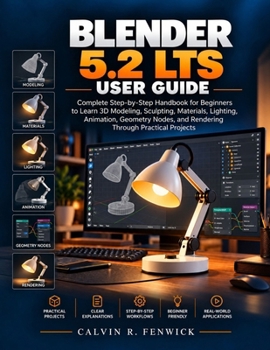
Blender 5.2 Lts User Guide: Complete Step-by-Step Handbook for Beginners to Learn 3D Modeling, Sculpting, Materials, Lighting, Animation, Geometry Nod
No Customer Reviews

Following a Blender tutorial is one thing. Knowing what to do when you're working on your own is another. BLENDER 5.2 LTS USER GUIDE helps you bridge that gap through clear explanations and practical projects. Instead of simply showing you where the tools are, it takes you through the process of building models, creating materials, setting up lighting, animating objects, and preparing your finished work. Even after watching someone create an impressive 3D model, you may still find yourself unsure what to do when working alone. You may know how to move an object or change its colour, but shaping it properly, giving it the appearance of metal or wood, and setting up the lighting can feel like entirely different challenges. The problem isn't always knowing where to click. It's knowing what to do next. This guide gives you a structured way to practise. You'll begin by getting comfortable with the workspace, learning how to move around a scene, handle objects, and use essential controls. From there, you'll work through exercises that introduce new techniques as you need them. AS YOU WORK THROUGH THE BOOK, YOU'LL LEARN TO: Navigate the interface and use essential keyboard shortcutsBuild detailed objects with mesh editing tools and modifiersSculpt decorative forms using brushes and surface refinementCreate wood, glass, plastic, and metal materialsUse UV mapping and textures to control surface appearancePosition cameras and arrange lighting for product-style scenesProduce rendered images using Eevee and CyclesAnimate objects with keyframes and motion controlsCreate adjustable arrangements using Geometry NodesOrganise project files and export models in common formats
SEE HOW IT ALL COMES TOGETHER IN PRACTICAL PROJECTS One of the main projects is a desk lamp. You'll start with basic shapes, build its individual components, refine the details, and give each part a suitable material. You'll then arrange the lighting and camera to produce a product-style image before creating a turntable animation. You'll also sculpt a decorative ornament and use Geometry Nodes to arrange repeated objects without placing each one manually. As you work, you'll see what happens when you adjust a modifier, change a material setting, or reposition a light. The exercises give you a chance to understand these decisions rather than simply copy them. You'll also find guidance on common problems, useful shortcuts, unfamiliar terms, and the checks worth making before saving or exporting your work. You don't need previous experience with 3D software to follow the lessons. The explanations are written for someone encountering these tools for the first time, with enough practical detail to work through the exercises at their own pace. If you've been wanting to learn Blender but would rather follow a connected set of projects than piece together scattered instructions, this guide gives you a practical place to start and something to refer to as you continue learning. Scroll up and click the Buy Now button to get your copy and begin with the first lesson.
SEE HOW IT ALL COMES TOGETHER IN PRACTICAL PROJECTS One of the main projects is a desk lamp. You'll start with basic shapes, build its individual components, refine the details, and give each part a suitable material. You'll then arrange the lighting and camera to produce a product-style image before creating a turntable animation. You'll also sculpt a decorative ornament and use Geometry Nodes to arrange repeated objects without placing each one manually. As you work, you'll see what happens when you adjust a modifier, change a material setting, or reposition a light. The exercises give you a chance to understand these decisions rather than simply copy them. You'll also find guidance on common problems, useful shortcuts, unfamiliar terms, and the checks worth making before saving or exporting your work. You don't need previous experience with 3D software to follow the lessons. The explanations are written for someone encountering these tools for the first time, with enough practical detail to work through the exercises at their own pace. If you've been wanting to learn Blender but would rather follow a connected set of projects than piece together scattered instructions, this guide gives you a practical place to start and something to refer to as you continue learning. Scroll up and click the Buy Now button to get your copy and begin with the first lesson.
Format:Paperback
Language:English
ISBN:B0HMRLKP38
ISBN13:9798161864944
Release Date:October 2026
Publisher:Independently Published
Length:208 Pages
Weight:1.09 lbs.
Dimensions:0.4" x 8.5" x 11.0"
Customer Reviews
0 rating
Copyright © 2026 Thriftbooks.com
Terms of Use | Privacy Policy | Do Not Sell/Share My Personal Information | Cookie Notice | Cookie Preferences | Accessibility Statement
ThriftBooks ® and the ThriftBooks ® logo are registered trademarks of Thrift Books Global, LLC
ThriftBooks ® and the ThriftBooks ® logo are registered trademarks of Thrift Books Global, LLC
