


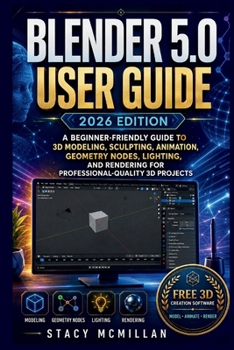
Blender 5.0 User Guide - 2026 Edition: A Beginner-Friendly Guide to 3D Modeling, Sculpting, Animation, Geometry Nodes, Lighting, and Rendering for Pro
No Customer Reviews

What if that crowded 3D screen started to make sense, one tool, one object, and one finished project at a time?
Opening Blender for the first time can feel crowded. The viewport, toolbar, Outliner, Properties panel, Timeline, workspaces, modifiers, nodes, lighting settings, render options, and file folders can leave a beginner unsure of what to click first or what each step is meant to do. Many learners start with random tutorials, then get stuck when their material turns pink, the viewport slows down, the render looks noisy, or the wrong object gets edited. This practical guide gives you a clear path through Blender 5.0 from the first launch to finished project output. It explains the software in plain English and shows how each part of the workflow fits together, so you can build, shade, light, animate, render, troubleshoot, and organize your work with more confidence. The book uses step-by-step guidance, simple examples, visual prompts, diagrams, checklists, workflow maps, and troubleshooting sections to help you practice as you read. It is made for beginners who want useful instruction, not confusing software language. Built for hands-on learning, clear practice, and real project control. What's insideClear Blender 5.0 interface guidance for beginnersViewport navigation, selection, and object controlPrimitive shapes, mesh editing, bevels, and loop cutsModifier workflows using Mirror, Array, Boolean, and BevelMaterials, shader nodes, textures, and roughness controlColor management, lighting, studio setups, AgX, and ACESKeyframes, Timeline, Graph Editor, and basic animationA simple introduction to armatures and pose controlGeometry Nodes for procedural setups and scattering objectsCamera framing, render settings, noise reduction, and exportsCompositing, color grading, render passes, and finishing touchesFixes for slow viewports, broken materials, crashes, and lost filesProject folder structure, naming habits, backups, and delivery checks
Who's this guide for?
By the end of this guide, you will be able to:
If you want to learn Blender 5.0 without feeling lost at every panel, this guide gives you clear instructions, practical support, and a steady workflow you can return to as you practice.
Format:Paperback
Language:English
ISBN:B0H7Z25119
ISBN13:9798186038962
Release Date:July 2026
Publisher:Independently Published
Length:392 Pages
Weight:1.15 lbs.
Dimensions:0.8" x 6.0" x 9.0"
Customer Reviews
0 rating
Copyright © 2026 Thriftbooks.com
Terms of Use | Privacy Policy | Do Not Sell/Share My Personal Information | Cookie Notice | Cookie Preferences | Accessibility Statement
ThriftBooks ® and the ThriftBooks ® logo are registered trademarks of Thrift Books Global, LLC
ThriftBooks ® and the ThriftBooks ® logo are registered trademarks of Thrift Books Global, LLC
