


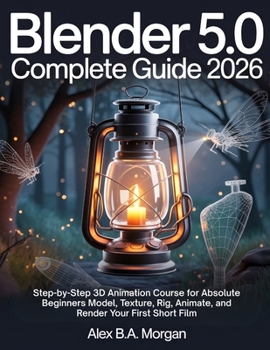
Blender 5.0 Complete Guide 2026: Step-by-Step 3D Animation Course for Absolute Beginners Model, Texture, Rig, Animate, and Render Your First Short Fil

You opened the software, stared at the gray cube and the wall of panels and icons, and quietly closed it again. You are not the only one. Plenty of people download this powerful 3D tool, feel overwhelmed within minutes, and give up before they ever make a single thing.
This is the course that breaks through that wall.
Instead of scattered lessons that fizzle out at a spinning donut, you build one full project from the very first click to a finished, exported short you can actually share: a hanging lantern swaying in a moonlit forest, fireflies drifting in slow orbit, a candle flickering softly inside the glass. Every menu path, every shortcut, and every setting is written for the current 5.0 release, so what you read on the page matches what you see on your screen.
Inside, you will learn to:
Navigate the viewport and stop feeling lost in the interfaceShape objects through modeling, sculpting, and non-destructive modifiersBuild believable brass, glass, bark, and soil with the Principled shaderUnwrap UVs and add surface detail that holds up under a close cameraScatter grass and instance glowing fireflies using the new procedural node toolsLight a night scene, place a camera, and frame a hero shotSet keyframes and bring motion to life on the timelineComposite and export a finished video ready to upload and shareNo prior experience is needed. If you have never opened a 3D application in your life, you begin exactly where you are. Plain language, honest explanations, and a simple versioned-save habit keep you moving forward without losing your work. When something goes wrong, a troubleshooting section, a clear glossary, and a quick-reference cheat sheet help you get unstuck fast.
By the final page, you will not only understand the tools. You will have created something real, and you will know how to make the next thing entirely on your own.
Your scene is waiting. Open the book, open the software, and start building today.
Customer Reviews
ThriftBooks ® and the ThriftBooks ® logo are registered trademarks of Thrift Books Global, LLC
