


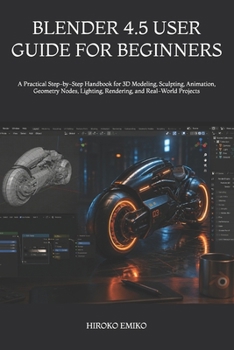
Blender 4.5 User Guide for Beginners: A Practical Step-by-Step Handbook for 3D Modeling, Sculpting, Animation, Geometry Nodes, Lighting, Rendering, an

Step into the world of professional 3D creation with Blender 4.5 User Guide 2025-2026, the ultimate beginner-friendly handbook designed to help creators, designers, animators, gamers, students, and digital artists confidently master the powerful features of Blender 4.5.
Whether you are completely new to 3D design or looking to sharpen your creative skills, this practical and easy-to-follow guide walks you through everything you need to create stunning 3D models, realistic renders, cinematic animations, game assets, motion graphics, visual effects, and professional-quality projects with confidence.
Inside this comprehensive guide, you will discover:
How to confidently navigate the Blender 4.5 interfaceStep-by-step lessons for beginners and intermediate usersPractical techniques for 3D modeling and sculptingProfessional animation and rigging workflowsGeometry Nodes explained in simple languageRealistic lighting, shading, and rendering techniquesHow to use Cycles and Eevee effectivelyTips for creating cinematic visual effects and motion graphicsReal-world projects that help you learn by doingEssential shortcuts, tools, settings, and productivity hacksUpdated Blender 4.5 features including Vulkan performance improvementsUnlike confusing technical manuals filled with complicated explanations, this guide is written in a clear, beginner-friendly style that makes learning Blender easier, faster, and more enjoyable. Every chapter is carefully structured to help you build practical skills while avoiding the frustration most beginners face.
This book is perfect for:
Beginners with no prior 3D experienceContent creators and YouTubersGame developers and indie creatorsAnimation enthusiastsDigital artists and designersStudents and hobbyistsProfessionals transitioning into 3D workflowsWhat sets this book apart is its hands-on learning approach, modern Blender 4.5 workflows, simplified explanations, and focus on practical real-world projects instead of overwhelming technical jargon.
If you've ever wanted to create professional-quality 3D art, animations, visual effects, environments, or game-ready assets, this guide gives you the roadmap to start creating like a pro - even if you're starting from scratch.
Unlock the full creative power of Blender 4.5 today and begin transforming your ideas into stunning digital creations.
Customer Reviews
ThriftBooks ® and the ThriftBooks ® logo are registered trademarks of Thrift Books Global, LLC
