


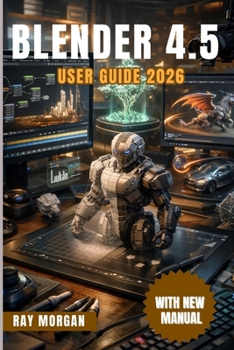
BLENDER 4.5 User Guide 2026.

Have you ever opened a 3D software and felt overwhelmed by its endless menus, tools, and options, unsure of where to start or how to turn your creative ideas into reality? Working in 3D modeling, animation, rendering, or game-ready asset creation doesn't have to be confusing or frustrating. This guide is your all-in-one manual to mastering the complete 3D workflow, taking you step by step from the first click to professional-quality results, including all the newest features introduced in Blender 4.5. It's designed to help you navigate the interface, harness powerful tools, and complete full projects with clarity and confidence.
This book is written for beginners who need a solid foundation, intermediate users who want to expand their skills, and advanced artists seeking to integrate modern tools like Geometry Nodes, Vulkan acceleration, and Grease Pencil enhancements into efficient, professional workflows. Instead of scattered tutorials and fragmented guides, this book provides structured, project-oriented lessons that deliver practical results fast. You'll learn not just the "how" but the "why," so your skills grow in a meaningful and lasting way.
Why this guide will transform the way you work in 3D:
- Clear Setup and Navigation - Learn to install, optimize, and configure the software for smooth performance on any project size. Discover essential tips to navigate the interface quickly, so you spend more time creating and less time searching.
- Powerful Modeling and Sculpting Techniques - Master Edit Mode tools, modifiers, the improved Boolean solver, curves, and sculpting workflows. Build clean, efficient, and detailed models ready for rendering or animation.
- Procedural Creativity with Nodes - Step into the world of Geometry Nodes to automate modeling, create procedural environments, and generate complex systems for buildings, plants, and effects without heavy coding.
- Materials, Lighting, and Rendering Mastery - Learn to craft realistic textures, set up lights and cameras, and render stunning visuals with both Eevee and Cycles. Use Vulkan acceleration and adaptive subdivision to achieve high-detail scenes without sacrificing speed.
- Animation and 2D/3D Integration - Animate objects, cameras, and characters with keyframes, rigging, and graph editor workflows. Explore Grease Pencil innovations to integrate 2D drawings directly into your 3D scenes.
- Simulations and Special Effects - Create realistic cloth, fluid, smoke, and particle simulations with clear step-by-step guidance, while optimizing performance for large or complex projects.
Each chapter includes hands-on projects designed to reinforce skills immediately. From building a simple house, sculpting a detailed character, creating a procedural city, texturing robots, lighting indoor and outdoor scenes, to producing fully animated sequences and cinematic renders, you'll gain practical experience that mirrors real-world workflows.
Beyond step-by-step instructions, this guide offers tips, troubleshooting advice, and workflow strategies used by professional 3D artists. You'll learn how to avoid common mistakes, speed up your work, and manage large-scale projects confidently. Whether your goal is game development, animation, visual effects, or digital art, this book gives you the tools and insight to achieve consistent, professional results.
Take control of your 3D projects today. Learn, experiment, and create with precision, clarity, and confidence-turning ideas into impressive, fully-realized visuals with ease.
Customer Reviews
ThriftBooks® and the ThriftBooks® logo are registered trademarks of Thrift Books Global, LLC
