


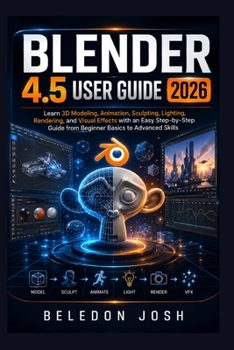
Blender 4.5 User Guide 2026: Learn 3D Modeling, Animation, Sculpting, Lighting, Rendering, and Visual Effects with an Easy Step-by-Step Guide from Beg

MASTER BLENDER 4.5 WITH CONFIDENCE AND TURN YOUR IDEAS INTO 3D CREATIONS
Ready to move beyond simply opening Blender and start creating with confidence?
Blender 4.5 User Guide 2026 is a practical, beginner-friendly resource designed to help you understand Blender's powerful 3D creation environment without getting lost in complicated terminology or confusing workflows.
Whether you are completely new to Blender, returning after a break, or looking for a structured way to strengthen your existing skills, this guide provides a clear path through the essential tools and techniques you need to create, refine, light, animate, and render 3D projects.
Blender can feel overwhelming because it combines modeling, sculpting, animation, materials, lighting, rendering, visual effects, and many other capabilities in one application. This guide helps make those possibilities easier to understand by presenting concepts in a logical, approachable way.
WHAT YOU CAN LEARN FROM THIS GUIDEInside, you will discover practical guidance covering important areas of the Blender workflow, including:
Understanding Blender's interface, workspaces, and essential controls
Navigating 3D scenes and working efficiently with objects
Building and editing 3D models using core modeling techniques
Exploring sculpting concepts for creating detailed forms
Working with materials, textures, and surface appearance
Setting up lighting to improve the look and atmosphere of scenes
Understanding cameras and scene composition
Exploring animation fundamentals and keyframe-based workflows
Preparing scenes for rendering and creating polished visual results
Understanding visual effects and creative scene-building techniques
Developing more efficient workflows as your skills improve
Applying Blender knowledge through practical, hands-on experimentation
WHY THIS GUIDE BELONGS IN YOUR BLENDER TOOLKITLearn at your own pace. Follow a structured learning path without feeling pressured to master everything at once.
Build a strong foundation. Understand fundamental Blender concepts before moving into more advanced workflows.
Reduce the learning curve. Approach Blender's extensive collection of tools with greater clarity and organization.
Develop practical skills. Focus on techniques and workflows that can be applied to your own creative projects.
Increase your confidence. Become more comfortable navigating the interface, experimenting with tools, and solving common creative challenges.
Explore your creativity. Use Blender as a foundation for 3D art, animation, game assets, product visualization, visual effects, and other creative projects.
Most importantly, this book is designed to help you become an independent Blender user. Instead of simply memorizing commands, you can develop an understanding of how different tools and workflows work together-giving you the confidence to experiment and create your own projects.
Whether you dream of designing detailed 3D objects, creating characters, building environments, producing animations, developing game assets, or simply exploring the world of 3D design, Blender 4.5 User Guide 2026 can serve as a practical companion throughout your learning journey.
Don't let Blender's complexity hold back your creativity. Start learning, start experimenting, and start creating.
Get your copy of Blender 4.5 User Guide 2026 today and take the next step toward turning your ideas into impressive 3D creations
Customer Reviews
ThriftBooks ® and the ThriftBooks ® logo are registered trademarks of Thrift Books Global, LLC
