


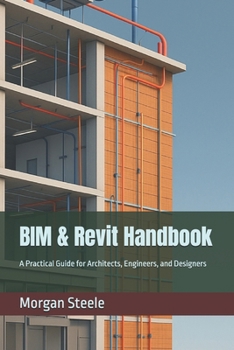
BIM & Revit Handbook: A Practical Guide for Architects, Engineers, and Designers

The Illustrated BIM Reference for Architecture, Engineering, and Construction
Unlock the full power of Building Information Modeling with this comprehensive, visually rich guide to Autodesk Revit. Whether you are an architect, engineer, or construction professional, this fully illustrated handbook walks you through every stage of the BIM process -- from foundational concepts to advanced workflows -- with clear explanations, full-page reference visuals, hands-on examples, and step-by-step instructions.
This edition features 16 full-page illustrated reference spreads embedded throughout the book, including annotated Revit screenshots, complete architectural sheet layouts (A1.01 drawing sets), real project case study boards, 3D axonometric views, building section cuts, perspective renders, and workflow infographics. Every major topic has a dedicated visual reference -- not just text.
What You Will Learn
Set up professional Revit projects from scratch with the right templates, levels, and grids
Model architectural, structural, and MEP systems with precision and coordination
Use worksharing, linked models, and BIM 360 for real-time team collaboration
Generate detailed construction documents, annotated schedules, and sheet layouts
Automate repetitive tasks with Dynamo visual scripting and the Revit API
Apply best practices through illustrated case studies in commercial office, healthcare, industrial, and residential projects
25 Chapters Across 8 Parts
Organized into eight structured parts, this handbook covers BIM foundations, architectural and structural modeling, MEP systems, collaboration workflows, documentation and deliverables, Revit families, phasing, automation, and real-world project case studies -- making it useful as both a learning guide and an on-the-job reference.
Full-Page Visuals Throughout
Every major chapter is paired with a dedicated full-page visual. From the Revit user interface and annotated floor plans to complete A1.01 architectural drawing sets, 3D section cuts, coding and automation references, and project-specific BIM workflow boards -- you always have a clear visual alongside the written instruction. Whether you are reading on screen or in print, the visuals make complex workflows immediately clear.
Who This Book Is For
Ideal for architecture and engineering students, working professionals transitioning from CAD to BIM, and project teams looking to standardize their Revit workflows. Includes a full glossary of BIM and Revit terms, a keyboard shortcuts reference, and BIM execution and quality assurance checklists.
Format: designed for readability, with generous margins and full-page images that are clear and legible in both print and digital formats.
Customer Reviews
ThriftBooks ® and the ThriftBooks ® logo are registered trademarks of Thrift Books Global, LLC
