


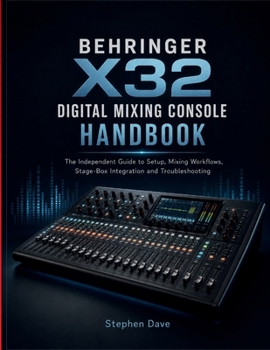
Behringer X32 Digital Mixing Console Handbook: A Guide to Setup, Mixing Workflows, Stage-Box Integration and Troubleshooting

A digital mixer can show the correct channel on the screen while the sound is actually following another input, bus, tap point, socket, matrix, scene, or routing path. Understanding that signal path is the key to operating the X32 with confidence.
The BEHRINGER X32 Digital Mixing Console Handbook goes beyond basic menu navigation to explain how sources, channels, processing, buses, effects, outputs, remote I/O, recording, and saved configurations work together in a real sound system.
You will begin by building a reliable operating baseline. Surface orientation, channel selection, fader layers, input sources, preamps, phantom power, meters, gain structure, high-pass filtering, gates, compression, equalization, and signal flow are introduced as connected parts of one system rather than isolated controls.
Monitor and output chapters explain buses, pre/post-fader tap points, subgroups, DCAs, mute groups, effects sends, matrices, monitor mixes, and output routing. You will learn how to follow a signal from microphone to destination and identify exactly where a routing decision changes its path.
Dedicated sections cover digital snakes and remote I/O, AES50 connections, clocking, personal monitoring, expansion interfaces, network control, USB audio, computer recording, and remote operation. The emphasis is on verifying each connection before adding another layer of complexity.
Scenes, snippets, cues, and show files are also treated as practical production tools. You will learn how to preserve working configurations, recall only what is needed, avoid unwanted changes during a show, and maintain recoverable files for recurring events.
You will learn how to:
- Trace inputs, channels, buses, matrices, and physical outputs
- Establish clean gain structure using listening and metering
- Apply gates, compression, EQ, filters, and effects purposefully
- Build monitor mixes, subgroups, DCAs, mute groups, and matrices
- Understand pre-fader and post-fader signal paths
- Configure remote I/O and digital audio connections
- Create personal monitoring and performer mixes
- Record multichannel audio through USB
- Organize scenes, snippets, cues, and show files
- Use remote-control tools more confidently
- Locate feedback and distinguish it from routing or gain problems
- Diagnose silence, distortion, clocking faults, network problems, and unexpected recalls
Troubleshooting begins with the signal path rather than random control changes. A silent channel, missing monitor mix, wrong output, distorted signal, failed remote connection, clocking problem, or unexpected scene recall can then be narrowed to the stage where the fault actually begins.
Whether you mix bands, churches, venues, schools, theaters, events, or recording sessions, this independent handbook helps you build configurations that are easier to understand, verify, preserve, and recover.
Stop chasing signals through menus. Understand where the audio is going, why it is going there, and what each adjustment changes.
Get your copy today and take greater control of every X32 session.
Customer Reviews
ThriftBooks ® and the ThriftBooks ® logo are registered trademarks of Thrift Books Global, LLC
