


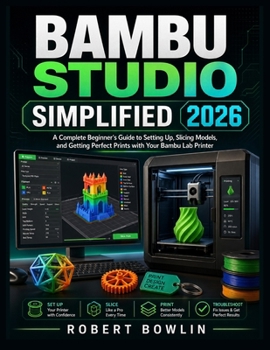
Bambu Studio Simplified 2026: A Complete Beginner's Guide to Setting Up, Slicing Models, and Getting Perfect Prints with Your Bambu Lab Printer

Stop guessing your way through Bambu Studio and start printing with confidence.
Bambu Studio is one of the most powerful tools in the Bambu Lab ecosystem, but for many beginners it can feel crowded, technical, and easy to misunderstand. One wrong profile, one missed preview check, one poor support choice, or one incorrect filament setting can turn a simple print into wasted time and plastic.
Bambu Studio Simplified 2026 gives you a clear, beginner-friendly path from setup to successful printing. Written in plain English, this practical guide shows you how to prepare models, choose the right settings, slice with confidence, use AMS features, inspect previews, troubleshoot failures, and build a reliable printing workflow with your Bambu Lab printer.
Inside this book, you will learn how to:
Download, install, and set up Bambu Studio safelyConnect your Bambu Lab printer through account, cloud, Wi-Fi, and LAN workflowsUnderstand the Prepare, Preview, and Device tabs without confusionChoose the correct printer, nozzle, filament, plate, and process profilesImport and prepare STL, 3MF, STEP, OBJ, and other model filesMove, scale, rotate, arrange, cut, split, repair, and organize 3D modelsUse supports, brims, skirts, rafts, orientation, and adhesion settings correctlyRead sliced previews before printing to catch hidden problems earlyManage AMS slots, color painting, height range painting, purge towers, and filament changesFix stringing, warping, weak parts, blobs, rough surfaces, layer shifts, and failed first layersBuild repeatable workflows for hobby projects, functional parts, prototypes, and small-batch printingBonus highlights include:
Quick reference guides for daily printingFirst print checklist for beginnersFilament settings cheat sheetSupport settings cheat sheetTroubleshooting quick fix chartPractice projects including a calibration cube, phone stand, storage box, multi-color keychain, and small-batch product sampleFilament storage, moisture control, and spool management tipsPlain-English glossary of Bambu Studio and 3D printing termsPerfect for beginners, hobbyists, makers, teachers, and small-business users, this guide helps you spend less time searching forums and more time producing clean, reliable prints.
If you want Bambu Studio to feel simple, practical, and under your control, this book is the guide to start with.
Customer Reviews
ThriftBooks ® and the ThriftBooks ® logo are registered trademarks of Thrift Books Global, LLC
