


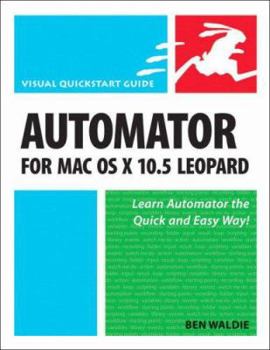
Automator For MAC Os X 1035 Leopard


Using a combination of task-based instruction and strong visuals to teach intermediate Macintosh users how to automate repetitive tasks with the Automator application, this text explains how to set up... This description may be from another edition of this product.
Format:Paperback
Language:English
ISBN:0321539354
ISBN13:9780321539359
Release Date:January 2008
Publisher:Peachpit Pr
Length:278 Pages
Weight:1.05 lbs.
Dimensions:9.0" x 0.8" x 6.8"
Customer Reviews
3 ratings
Good and practical
Published by Thriftbooks.com User , 16 years ago
Automator For Mac OS X 10.5 Leopard:Visual QuickStart Guide is a good, thorough and practical introduction to the Mac Automator feature. It includes useful sample scripts that can be put to use by the reader. Should be useful even to those without any programming background.
Opens new doors into automating a Mac
Published by Thriftbooks.com User , 17 years ago
Like many people who make their living using a computer I perform many repetitive tasks. I've dabbled around in Applescript a bit and have managed to make a few scripts that help me but since I'm not really a programmer that is only worth the time if I'm going to use the same script often. Even then, if the sequence task requires only a few steps it doesn't seem worth the effort to struggle with the programming. Enter Automator. With OS X.4, Apple offered a tool to make automation easier. With OS X.5 it actually is close enough to easy, or could be easy once getting past the intimidation factor. With this QuickStart guide to hold my hand I've actually gotten to the point where I start to think of Automator whenever I need to perform repetitive tasks. The writing is clear and straightforward. I love the visual cookbook format of the series and it works well here. Walde has chosen some useful examples to teach Automator and make it accessible. The learning progression - from simpler to more complex tasks is well thought out. For an introduction to Automator, this book is excellent and will take you as far as possible without having to learn to script with Applescript or a shell language.
Bakari's MyMac.com Review
Published by Thriftbooks.com User , 17 years ago
I've written in the past two years at least three separate how-to articles (here here and here about Apple's automation creation program, Automator. Since the program was introduced with Tiger, I've always looked for ways it can help me automate certain mundane tasks on my computer. Each morning, for example, I can come to my computer with five of my most frequented Web site feeds opened and ready for me to peruse. Thanks to an Automator workflow initiated by a daily iCal launch, I don't have to individually pull up those same Web sites each day in order to view them. Automator and iCal do the work for me. I have about eight other workflows like this that I use on a consistent basis. Though I wish I were a skilled programmer, I couldn't create a bit of computer or software code to save my life. That's why Automator is a perfect program for those of us who would like to script actions on our computer but don't have the skills to do so. Automator is based on the type of select and drop features that you find in all of Apple's programs. However, I would not go so far as to say that Automator is an intuitive program for basic computer users. While my wife can put together a family newsletter using one of the Apple's Pages's template, she would be at a loss using Automator. But for intermediate and power users of the the OS X system, Automator is very accessible. And finally, there's a introductory book about using the program that I've been wanting to see published for a while now. Not sure why it has taken Peachpit so long to publish a book about Automator, but it's great that it has. Automator For Mac OS X 10.5 Leopard is part of Peachpit's Visual Quickstart Guide series. Books in this series provide you a nice straightforward introduction to software programs with plenty of examples, illustrations, tips, and recommendations for getting the most out of the programs that a book in the series covers. The author of this book, Ben Waldie, is president of Automated Workflows (www.automatedworkflows.com) which is one of four or five Automator sites that feature tutorials and sample workflows about Automator. He has "developed professional automated solutions for clients such as Adobe, Apple, CNN, and Microsoft." He has authored numerous articles about Automator and AppleScripting and has been a frequent presenter at Macworld Conference and Expo and other events. Automator For Mac OS X 10.5 Leopard covers all the basics plus a little more. If you have never cracked open Automator, it would probably be a good idea to simply follow one of my tutorials. Have no fear, testing out and playing around with the program will not break or crash your computer. You might discover just how useful Automator and other similar programs can be in saving your time and stress. I won't say that every workflow you create won't have a glitch here and there, but as you keep refining the workflow, you will over time get some things done faster at your computer. With latest
Copyright © 2026 Thriftbooks.com Terms of Use
| Privacy Policy | Do Not
Sell/Share My Personal Information | Cookie Policy | Cookie Preferences | Accessibility Statement
ThriftBooks® and the ThriftBooks® logo are registered trademarks of Thrift Books Global, LLC
ThriftBooks® and the ThriftBooks® logo are registered trademarks of Thrift Books Global, LLC
