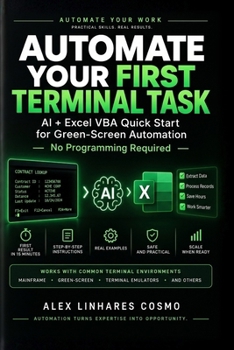
Automate Your Green Screen: Use AI + Excel to Automate Mainframe & Legacy Terminal Tasks - No Programming Required
No Customer Reviews

YOU KNOW THE WORK. AI CAN HELP YOU AUTOMATE IT. If you spend your workday inside a mainframe, green-screen application, terminal emulator, or legacy business system, you probably know the routine: Search. Type. Wait. Read. Copy. Paste. Repeat. Hundreds or thousands of times. You know exactly what needs to be done. But you may not know how to program. That is exactly who this book is for. Automate Your Green Screen teaches a practical method for using AI + Excel + VBA to turn repetitive terminal work into controlled, reusable automation - without requiring you to become a programmer. You don't need to learn programming theory first. You need to learn how to describe your workflow clearly enough for AI to help build the automation. THE METHOD The book is built around four simple ideas: CONNECT → WAIT → READ → WRITE From there, you learn how to build automations that can: - retrieve information from terminal systems
- process hundreds or thousands of records
- wait intelligently for the system instead of relying on arbitrary delays
- show progress and estimated completion time
- resume after interruptions
- record execution logs
- reconcile terminal data against Excel data
- safely test system updates before committing them
- handle errors without starting over
- generate reports automatically
- send Outlook emails
- prepare PowerPoint presentations
- notify teams about completed workflows
- adapt the method to different terminal-emulator environments IF YOU ONLY READ FIVE CHAPTERS... Five chapters contain the core mindset behind the entire method: Chapter 1 - The Right Mindset
Learn how to think about automation without thinking like a programmer. Chapter 2 - Your Technical Sheet
Capture the details of your terminal environment so you can reuse them with AI. Chapter 3 - The Master Prompt & SOS Protocol
Learn how to make AI produce complete, usable VBA procedures - and how to turn errors into structured repair requests. Chapter 10 - Smart Waiting
Understand why reliable automation waits for the system's state instead of blindly waiting for a fixed number of seconds. Chapter 14 - Writing to the System Safely
Learn why reading data and changing production data are fundamentally different problems - and how to build safety gates before writing. FROM ONE RECORD TO THOUSANDS
The method starts small.
You build one working automation.
Then you turn it into a loop. Then you add progress tracking, resumability, logging, reconciliation and controlled writing.
The goal is not to create a clever macro.
The goal is to create an automation you can understand, test, troubleshoot, control and reuse. BUILT FOR REAL CORPORATE ENVIRONMENTS
This book is particularly relevant to professionals working in:
Banking - Insurance - Financial Services - Operations - Back Office - Reporting - Reconciliation - Data Processing - Customer Service - Legacy Systems
The examples and architecture address common terminal-emulator environments, while recognizing that exact interfaces vary by product, version and organization.
The method is designed to adapt rather than lock you into a single emulator. THIS BOOK IS FOR YOU IF:
- You work with a mainframe or green-screen system.
- You use a terminal emulator every day.
- You spend hours repeating the same terminal operations.
- You use Excel as part of your workflow.
- You perform data entry, lookups, extraction or reconciliation.
- You work in banking, insurance, finance or operations.
- You understand the business process but don't know how to program.
- You want to use AI to automate work you already understand.
- You want to save hours without replacing the systems your organization
- process hundreds or thousands of records
- wait intelligently for the system instead of relying on arbitrary delays
- show progress and estimated completion time
- resume after interruptions
- record execution logs
- reconcile terminal data against Excel data
- safely test system updates before committing them
- handle errors without starting over
- generate reports automatically
- send Outlook emails
- prepare PowerPoint presentations
- notify teams about completed workflows
- adapt the method to different terminal-emulator environments IF YOU ONLY READ FIVE CHAPTERS... Five chapters contain the core mindset behind the entire method: Chapter 1 - The Right Mindset
Learn how to think about automation without thinking like a programmer. Chapter 2 - Your Technical Sheet
Capture the details of your terminal environment so you can reuse them with AI. Chapter 3 - The Master Prompt & SOS Protocol
Learn how to make AI produce complete, usable VBA procedures - and how to turn errors into structured repair requests. Chapter 10 - Smart Waiting
Understand why reliable automation waits for the system's state instead of blindly waiting for a fixed number of seconds. Chapter 14 - Writing to the System Safely
Learn why reading data and changing production data are fundamentally different problems - and how to build safety gates before writing. FROM ONE RECORD TO THOUSANDS
The method starts small.
You build one working automation.
Then you turn it into a loop. Then you add progress tracking, resumability, logging, reconciliation and controlled writing.
The goal is not to create a clever macro.
The goal is to create an automation you can understand, test, troubleshoot, control and reuse. BUILT FOR REAL CORPORATE ENVIRONMENTS
This book is particularly relevant to professionals working in:
Banking - Insurance - Financial Services - Operations - Back Office - Reporting - Reconciliation - Data Processing - Customer Service - Legacy Systems
The examples and architecture address common terminal-emulator environments, while recognizing that exact interfaces vary by product, version and organization.
The method is designed to adapt rather than lock you into a single emulator. THIS BOOK IS FOR YOU IF:
- You work with a mainframe or green-screen system.
- You use a terminal emulator every day.
- You spend hours repeating the same terminal operations.
- You use Excel as part of your workflow.
- You perform data entry, lookups, extraction or reconciliation.
- You work in banking, insurance, finance or operations.
- You understand the business process but don't know how to program.
- You want to use AI to automate work you already understand.
- You want to save hours without replacing the systems your organization
Format:Paperback
Language:English
ISBN:B0HKF8D541
ISBN13:9798175198714
Release Date:September 2026
Publisher:Independently Published
Length:180 Pages
Weight:0.50 lbs.
Dimensions:0.5" x 6.0" x 9.0"
Customer Reviews
0 rating
Copyright © 2026 Thriftbooks.com
Terms of Use | Privacy Policy | Do Not Sell/Share My Personal Information | Cookie Notice | Cookie Preferences | Accessibility Statement
ThriftBooks ® and the ThriftBooks ® logo are registered trademarks of Thrift Books Global, LLC
ThriftBooks ® and the ThriftBooks ® logo are registered trademarks of Thrift Books Global, LLC