


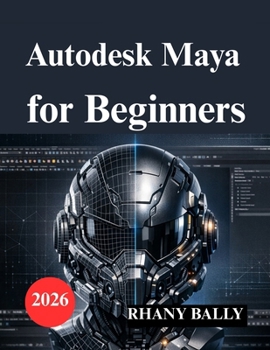
Autodesk Maya for Beginners: Guide to 3D Modeling, Animation, and Rendering

A Step-by-Step Guide to 3D Modeling, Animation, and Rendering
Are you ready to learn Autodesk Maya but feel overwhelmed by its powerful interface and professional toolset?
Autodesk Maya for Beginners (2026 Edition) is a clear, structured, and practical user guide designed to help you confidently move from your first project to creating clean models, realistic renders, and smooth animations.
Autodesk Maya is one of the world's leading 3D modeling and animation software platforms, used in film production, game development, visual effects, and product visualization. However, many beginners struggle because most tutorials jump between tools without teaching a complete workflow.
This guide takes a different approach.
Instead of overwhelming you with disconnected features, it teaches Maya step by step - the way professionals actually work.
Inside This Book, You'll Learn:
How to install and set up Autodesk Maya correctly
How to navigate the interface with confidence
Core polygon modeling techniques using professional workflows
Clean topology principles for beginners
UV mapping and texture setup without distortion
Materials and shading using Arnold and Hypershade
Lighting techniques for realistic renders
Basic animation using keyframes and the Graph Editor
Introduction to rigging with joints, IK, and smooth bind
How to export models and animations using FBX
Troubleshooting common performance and rendering issues
Why This Book Is Different
This is not just a list of tools.
It is a structured learning path that mirrors real production workflow:
Model → UV → Texture → Light → Animate → Rig → Export
Each chapter builds on the previous one, helping you understand not only how to use Autodesk Maya, but why certain workflows produce better results.
Whether you are:
A complete beginner to 3D modeling
A student learning animation
A game design enthusiast
A creative professional transitioning into 3D
Or someone who wants a clear and practical Maya manual
This book provides the foundation you need.
Designed for Practical Results
You will complete a full beginner modeling project, apply materials, light it professionally, animate it, and prepare it for export. By the end of this guide, you will understand the core fundamentals that professional Maya users rely on every day.
No unnecessary theory.
No scattered instructions.
No confusing technical overload.
Just structured, professional, beginner-friendly learning.
Customer Reviews
ThriftBooks ® and the ThriftBooks ® logo are registered trademarks of Thrift Books Global, LLC
