


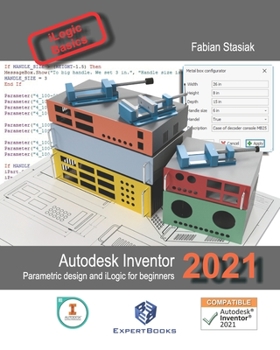
Autodesk Inventor 2021 Parametric design and iLogic for beginners

This book is intended for people for whom this is the first contact with Autodesk Inventor 2021 software. However, individuals who are familiar with the program will find here useful information about using parametrization techniques for the streamline creation of variants of the product. In this manual, you will find extensive descriptions and detailed illustrations explaining the tools used and the correct workflow techniques. The book presents three examples of the use of the software.
Example No 1. Designing a complete productIn the first example, you will learn how to work in Inventor, from scratch. You will create a project of a simple drill vise, on which you will learn the basic operations of modeling and creating drawing documentation. This example emphasises the principles of project management, from a single part through designing parts in the context of the assembly, checking the basic kinematics of the product, and further creating a complete drawing documentation containing item numbers and a parts list, as well as an exploding view of the product, rendered illustration and video for marketing purposes.
Then, thanks to the program parameterization and skillful file management, you will quickly create a new version of the drill vise with a complete set of drawing documentation as well as a rendered illustration and video of the new version of the product.
Example No 2. Component librariesMost of the products being designed, use components purchased from external suppliers. For this reason, parametric 3D models of purchased components, which can be quickly inserted into the project instead of modeling each time from scratch, offer the greatest possible convenience for the constructor. In addition, component library files should be properly described, so that they are correctly presented in the bill of materials and also it should be placed in the library resources area, which will protect them from accidental editing. The examples presented here will teach you how to prepare your own parametric libraries of purchased components.
Example No 3. The parametric generator of product versionsIn the third example, you will create a parametric generator for making a simple metal casing that allows you to obtain a model of any size, with or without handles and pre-prepared drawing documentation for each version. The generated version of the casing can be further modified in order to obtain the final appearance.
In this example, you will learn the basics of designing sheet metal parts, the use of parameters in parts and in the assembly, and you will learn the basics of programming using iLogic and how to use iLogic parametric version generators.
And...No additional files for download are required to complete the designs described - all files will be created from scratch in the exercises in sequence. Most of this manual is also compatible with previous versions of Inventor. The completed Table of Contents of this book and set of illustrations of the examples used in the book you can find on: www.expertbooks.eu.
Customer Reviews
ThriftBooks ® and the ThriftBooks ® logo are registered trademarks of Thrift Books Global, LLC
