


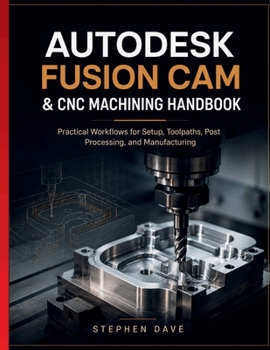
Autodesk Fusion CAM & CNC Machining Handbook: Practical Workflows for Setup, Toolpaths, Post Processing, and Manufacturing

Generating a toolpath is not the same as planning a safe, efficient machining process. Autodesk Fusion can calculate an operation successfully even when the setup contains weak workholding, an unsuitable datum, incorrect cutting parameters, unnecessary movement, poor clearance, inaccessible geometry, or posted output that does not match the physical machine and controller.
This handbook explains the manufacturing decisions behind Fusion CAM commands. Readers follow the complete path from model preparation and process planning through stock definition, setup orientation, work coordinate systems, fixture strategy, tool selection, holders, stick-out, feeds, speeds, cutter engagement, roughing, finishing, drilling, turning, simulation, post-processing, prove-out, inspection, and controlled production release.
The foundational chapters show how part geometry, stock form, setup count, cutter access, clamping, datum transfer, machine travel, rigidity, and inspection requirements shape an operation plan. Tool libraries and cutting parameters are treated as controlled manufacturing data rather than values copied blindly from unrelated jobs.
Two-dimensional and three-dimensional machining strategies are compared according to material removal, cutter engagement, surface requirements, rest machining, containment boundaries, linking moves, entry and exit behavior, and safe motion. Readers learn how to select operations based on the part, material, machine, tooling, and required result instead of relying only on familiar commands.
Advanced chapters address multiple setups, positional and simultaneous rotary machining, turning, probing, in-process inspection, templates, reusable process knowledge, machine definitions, simulation limits, collision review, post selection, controller conventions, work offsets, tool compensation, program structure, and posted-code inspection.
Features that depend on a particular Fusion subscription or product tier are separated from transferable machining principles. This allows readers to understand the underlying method even when commands, interfaces, licensing options, or available extensions change.
Safety and verification remain central throughout. A clean simulation cannot prove that the physical stock, workholding, offsets, clamps, tools, machine configuration, controller behavior, and posted program are correct. New or modified programs require an appropriate proof process using controller verification, dry runs, single-block operation, conservative feed and rapid overrides, safe approach positions, careful observation, and first-article inspection.
Troubleshooting sections connect visible machining problems to likely causes. Readers learn how to investigate poor surface finish, excessive cycle time, tool overload, unexpected retracts, unsafe linking moves, collisions, incorrect dimensions, post errors, work-offset mistakes, and differences between the simulated and physical setup.
Inside, readers will learn how to:
Plan stock, datums, workholding, tools, and setup sequencesCreate milling, drilling, turning, and multi-axis operationsControl feeds, speeds, engagement, linking, and clearanceBuild reliable tool libraries and reusable process templatesReview simulation, posted code, offsets, and machine compatibilityProve new programs cautiously and inspect the first manufactured partDiagnose setup, toolpath, post-processing, and dimensional problemsWritten for machinists, programmers, manufacturing students, engineers, and shop owners, this independent reference supports training, process planning, troubleshooting, and shop standardization. Practical checklists help readers apply consistent methods across new parts and repeated production work.
Customer Reviews
ThriftBooks ® and the ThriftBooks ® logo are registered trademarks of Thrift Books Global, LLC
