


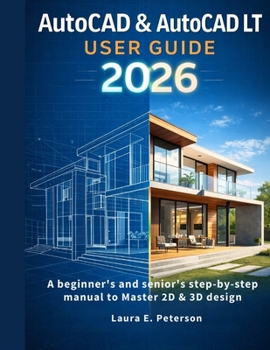
AutoCAD & AutoCAD LT user guide 2026: A beginners and seniors step-by-step manual to Master 2D & 3D design

A step-by-step path to confident digital drafting-perfect for beginners, returning professionals, or anyone ready to bring ideas to life.
If opening AutoCAD ever felt like staring at a cockpit you didn't know how to fly, you're not alone. Many seniors and beginners find technical books confusing, rushed, and full of jargon. This leaves capable creators frustrated and unsure where to start.
AutoCAD & AutoCAD LT for Seniors 2026 closes that gap. Written for thoughtful, deliberate learners, it meets you where you are-whether you've spent decades drafting by hand, haven't touched CAD since the 90s, or are trying it for the first time-and guides you step by step to mastery.
Inside, you'll find a clear, patient guide to AutoCAD 2026 that always explains the "why" behind every tool. Instead of overwhelming you with screens of icons, it walks you from understanding the interface and adjusting visual settings to mastering 2D drafting. You'll learn the logic of layers and properties, discover essential drawing tools, and gain practical skills like moving objects, trimming lines, adding text, placing dimensions, creating blocks, and preparing layouts for printing.
Later chapters introduce 3D modeling, showing how to turn simple shapes into full components and visualize them with materials, lights, and rendering tools. Along the way, large illustrations, thoughtful explanations, and "Senior Tips" help you avoid common stumbling points, giving you confidence to explore and experiment.
This book is more than a manual-it's a companion for reclaiming or discovering creative independence. Imagine drawing your own floor plans, making detailed parts for a hobby project, or updating old engineering drawings without help. Early readers shared breakthroughs: a retired structural engineer found a guide that respected his experience, a visual learner went from "intimidated" to producing her own plans, a former AutoCAD R14 user bridged decades of software change, a contractor saved thousands by preparing his own permit drawings, and seniors in their 60s and 70s learned at their own pace, creating real designs.
The core promise is simple: you can learn AutoCAD, draw accurately, design with confidence, and enjoy the process.
If you're ready to stop feeling intimidated and start building skills that open new possibilities-creative, professional, or personal-this book will help you:
Set up your workspace for ease of use
Understand the command line, status bar, and drafting aids
Draw clean, accurate 2D plans and diagrams
Organize projects with layers and properties
Add readable text, labels, and dimensions
Use blocks and libraries to streamline workflow
Prepare drawings for printing or sharing
Explore 3D modeling fundamentals
Take advantage of AutoCAD 2026's smart tools
Solve common problems with troubleshooting tips designed for seniors
No prior experience is needed. No memorization of commands required. Just curiosity and a willingness to learn one step at a time.
Start your journey today. Let this book guide you from "I can't" to "I did."
Customer Reviews
ThriftBooks ® and the ThriftBooks ® logo are registered trademarks of Thrift Books Global, LLC
