


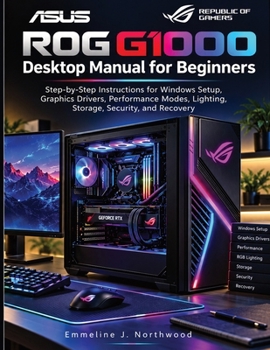
ASUS ROG G1000 Desktop Manual for Beginners: Step-by-Step Instructions for Windows Setup, Graphics Drivers, Performance Modes, Lighting, Storage, Secu

Build an orderly gaming desktop from the first sign-in.
Your G1000 will soon hold more than a few games. Downloads accumulate, applications need attention, settings change, and personal files become part of the same machine. Getting the essentials in place early gives you a clearer way to manage all of it as the desktop becomes part of daily life.
ASUS ROG G1000 Desktop Manual for Beginners brings the practical work of ownership into focus: Windows setup, graphics drivers, performance modes, lighting, storage, security, and recovery. Follow the instructions with your computer beside you and develop the skills that support both gaming sessions and everyday use.
Begin with the controls that shape how the desktop works:
Establish your Windows setup. Settle the essential configuration choices before adding games and applications. Follow the setup instructions, learn where the controls are, and establish a desktop you can navigate when you need to change something later.
Understand graphics driver management. Work with the driver software for the graphics hardware installed in your computer. Use the instructions to approach this task methodically and keep the requirements of your particular configuration in view.
Choose performance modes deliberately. Explore the available options and relate your selection to the activity at hand. Give mode changes a clear purpose as you move between everyday computing and the games you want to play.
Set the appearance of your desktop. Explore the lighting controls and choose a look that suits the space around your computer. Return to the customization instructions when you want to change the appearance of your setup.
Give your files and available space some structure as well. A growing collection of games, applications, downloads, and personal documents deserves an organized approach. The storage coverage helps you pay attention to what you keep on the machine and how you manage it. Establish useful habits early, then revisit the material when your needs change or available space becomes a concern.
Security belongs in that routine from the beginning. A gaming desktop may also be where you sign into personal accounts, keep documents, and handle everyday online activities. The manual includes security guidance to help you give protection a place alongside convenience and personalization. Make these considerations part of setting up the computer and looking after it over time.
Recovery completes the picture. When a problem interrupts normal use, the recovery guidance gives you a place to begin. Read it while the desktop is working, become familiar with the options discussed, and keep the manual available when you need to consider how to restore normal operation. Preparation can make an unfamiliar task easier to approach.
You can read through the manual as you set up the G1000 or consult individual topics when they become relevant. A driver task, a change in performance mode, and a storage concern need attention at different times. Having them together makes the book useful as your experience grows and new questions arise. Keep it close when you are ready to work through the next task.
Build a routine for the files you keep, the controls you change, and the software you maintain. Available settings and driver requirements depend on the installed hardware and software version.
Give your G1000 a sound start and a routine you can maintain. Order your copy and put setup, personalization, file management, and protection on the same practical footing.
Prepared as an independent learning manual, this book has no affiliation with ASUSTeK Computer Inc. or Microsoft Corporation and has not been authorized, sponsored, or endorsed by either company.
Customer Reviews
ThriftBooks ® and the ThriftBooks ® logo are registered trademarks of Thrift Books Global, LLC
