


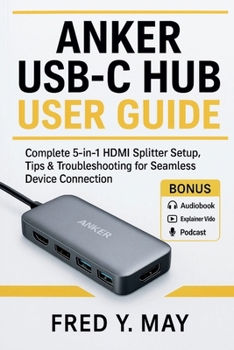
Anker USB-C Hub User Guide: Complete 5-in-1 HDMI Splitter Setup, Tips & Troubleshooting for Seamless Device Connection

Ever plugged in a USB-C hub and wondered why your monitor flickers, your laptop charges slowly, or your hard drive keeps disconnecting? You're not alone. Modern laptops have traded convenience for thinness, and users are left wrestling with confusing setups, mismatched ports, and vague manuals.
That's where Anker USB-C Hub User Guide by Fred Y. May comes in - a complete, easy-to-follow handbook designed to help you master your Anker 5-in-1 USB-C Hub with clarity, precision, and real-world insight.
This isn't a reworded manufacturer's pamphlet. It's a step-by-step guide written for real users - people who want to understand how their devices actually work, not just plug and pray. Inside, you'll learn how to get flawless 4K display output, optimize pass-through charging, maximize data speed, and fix any connection issue in minutes.
What Makes This Book Different?
Unlike generic tech manuals, this book bridges the gap between theory and practical use. Fred Y. May simplifies complex technology into clear language anyone can follow. Every chapter is packed with visuals, tested setups, and troubleshooting workflows that are based on real Anker devices - not assumptions. You'll find details you won't see in typical guides: from identifying your exact hub model to understanding DisplayPort Alt Mode and Power Delivery wattage logic.
This is the only guide that treats your USB-C hub like the powerful workstation tool it truly is - not just another accessory.
Inside, You'll Discover: Model Identification Made Simple - Learn how to instantly recognize your Anker hub and its true capabilities.Crystal-Clear Display Setup - Step-by-step instructions to achieve perfect 4K output on Windows, macOS, and ChromeOS.Power Delivery Demystified - Understand charging wattage, the 15-watt rule, and how to fix "slow charging" alerts for good.Data Transfer Optimization - Unlock maximum USB 3.2 speeds while avoiding common bottlenecks and cable errors.Ethernet and Network Stability - Set up wired internet for faster, more reliable connections.Media and SD Workflow Tips - Transfer photos and videos efficiently using built-in card readers.Full Troubleshooting Framework - Diagnose and resolve HDMI, USB, or charging issues with simple, repeatable steps.
Why You Should Get This Book Now
Don't waste hours searching online forums or watching random videos that leave you more confused. This guide delivers clear, structured knowledge from the first page to the last. Whether you're a creative professional, student, gamer, or mobile worker, understanding your hub means smoother workflow, faster productivity, and longer device life.
And here's the bonus:
Included Free - You'll also receive access to the Audio Edition, Explainer Video, and Podcast Companion. These resources (worth over $50) transform complex setup processes into easy listening and watching experiences, helping you learn anywhere, anytime.So don't wait for another connection failure or compatibility issue. Your devices deserve better - and so do you.
Related Subjects
ReferenceCustomer Reviews
ThriftBooks ® and the ThriftBooks ® logo are registered trademarks of Thrift Books Global, LLC
