


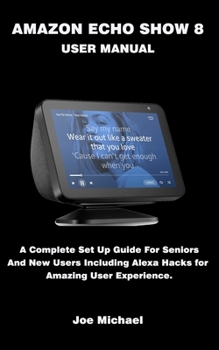
Amazon Echo Show 8 User Manual: A Complete Set Up Guide For Seniors And New Users Including Alexa Hacks For Amazing User Experience.

The Amazon Echo Show 8 device is a new amazing gadget with great features such as streaming onscreen videos and audios, video calls, snapping selfies, night mode, playing radio and podcasts, voice shopping, news updates and most significantly Amazon's voice-controlled personal assistant (Alexa) to automate your smart home devices and appliances.
Amazon Echo Show 8 device has lots of features that can get you overwhelmed, but don't worry this detailed guide will walk you everything you need to know about this amazing device, including shortcuts, advanced hacks, tips, and tricks to get the most out of your Echo Show 8 gadget.
This guide is written with a STEP by STEP approach to accommodate the needs of beginners and clarify their doubts while showing them every useful tips and tricks to get the best out of the device.
So, if you really want to optimize the performance of your Echo Show 8 and boost productivity, efficiency and become an expert, then this guide is a must-have; What you'll learn from this guide include: Overview of Echo Show 8Setting up your Amazon Echo Show 8Setup Alexa Voice ProfilesSetup Amazon Household & FreeTimeCustomize the Home Screen on Your Echo ShowSet up RoutinesListen to Radio & Podcasts on Amazon Echo ShowListen to Music on Amazon Echo ShowListen to Audiobooks on Amazon Echo ShowWatch YouTube, Netflix & Amazon Prime VideosSetup Smart Home Devices & Control your AppliancesAlexa Intercom, Drop-In, and PrivacyPhone Calls and MessagingReminder, Timers & AlarmsAlexa Skills, Questions & Eastern EggsTroubleshootingAnd other Amazon Echo Show SettingsDon't wait, get this guide now by clicking the BUY NOW button and learn everything about your Echo Show 8
Customer Reviews
ThriftBooks® and the ThriftBooks® logo are registered trademarks of Thrift Books Global, LLC
