


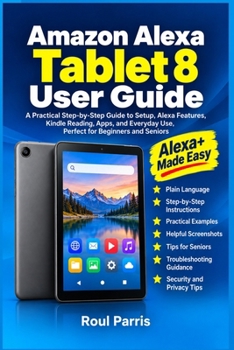
Amazon Alexa Tablet 8 User Guide: A Practical Step-by-Step Guide to Setup, Alexa Features, Kindle Reading, Apps, and Everyday Use, Perfect for Beginne

Your new Amazon Alexa Tablet 8 is in your hands.
Someone helped you through the first few steps. Then you're on your own.And now?A tablet designed to make everyday life easier shouldn't leave you wondering what to tap, where to go, or how to fix something when it stops working.
Do you ever hesitate before changing a setting because you're afraid you might make a mistake or change something you don't understand?
Are you tired of asking someone else for help whenever you cannot find an app, connect to Wi-Fi, or figure out why something isn't working?
Wouldn't you love to discover what your tablet can really do instead of using it for just a few familiar tasks?
You're holding a capable tablet, but you shouldn't have to depend on someone else to use it confidently.
With clear, practical, step-by-step instructions, you can learn how to set up your tablet, find your way around the screen, use Alexa+, read Kindle books, install apps, manage files, and handle everyday problems.
No guessing. No confusing tech jargon. No need to learn everything at once.
What You'll Learn- Set Up Your Tablet With Confidence From Day One
Connect to Wi-Fi, sign in to your accounts, and complete the initial setup.
- Know Exactly Where to Go and What to Do
Understand the Home screen, apps, touch gestures, notifications, and settings.
- Make Alexa+ More Useful in Everyday Life
Explore supported voice requests, reminders, everyday assistance, and compatible smart-home controls.
- Read Kindle Books More Comfortably
Find your library, download books, adjust text size, and manage reading preferences.
- Get More From Apps and Entertainment
Install applications, browse the internet, watch supported videos, and listen to music.
- Manage Files, Connections, and Storage
Learn about Wi-Fi, Bluetooth, USB-C, downloads, cloud services, and available backup options.
- Make Your Tablet Easier to Use
Adjust text size, brightness, sound, navigation, and available accessibility features.
- Protect Your Privacy and Personal Information
Review screen-lock options, app permissions, microphone access, and Alexa privacy settings.
- Keep Your Tablet Running Smoothly
Understand charging, battery information, power-saving options, and software updates.
- Solve Common Problems Yourself
Know what to check when connections fail, apps freeze, downloads stop, or Alexa and Kindle features do not work as expected.
...and much more
Even if technology has never been your thing, you've never owned a tablet before, or you mainly use your device for a few familiar activities, you can learn at your own pace.
You can follow the instructions from beginning to end or go directly to the topic you need. Each section focuses on practical tasks, helping you spend less time guessing and more time using your tablet.
Step by step, you'll go from wondering where to tap to handling everyday tasks with greater confidence and independence.
Your Tablet. Your Confidence. Your Independence.Start today and make your Amazon Alexa Tablet 8 truly yours, one step at a time.
This is an independent user guide and is not affiliated with or endorsed by Amazon. Features and availability may vary by software version, region, account, and compatible services.
Customer Reviews
ThriftBooks ® and the ThriftBooks ® logo are registered trademarks of Thrift Books Global, LLC
