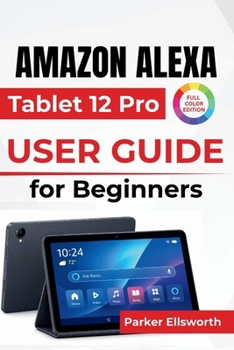
Amazon Alexa Tablet 12 Pro USER GUIDE For Beginners: Voice Assistance, Entertainment, Creative Tasks, Multitasking, Smart Home Controls, and Everyday

A new tablet, a bigger screen, and plenty of possibilities to explore.
The Amazon Alexa Tablet 12 Pro brings together a smooth 120Hz display, built-in Alexa+, Android applications, and new ways to enjoy entertainment and everyday productivity. But with unfamiliar settings, touchscreen controls, smart features, and optional accessories, getting comfortable with everything can take some time.
Amazon Alexa Tablet 12 Pro User Guide for Beginners helps you become familiar with your device, understand its important features, and handle everyday tasks with greater confidence.
Inside this guide, you'll discover how to:
Set up your tablet with confidence: Connect to Wi-Fi, sign in to your accounts, configure security settings, and personalize your home screen.
Make Alexa+ part of your daily routine: Use voice commands, create reminders, manage timers, and control compatible smart home devices.
Enjoy your favorite entertainment: Watch movies, read Kindle books, listen to audiobooks and music, and explore Android games.
Get more done with your tablet: Use compatible apps, work with multiple windows, organize documents, and explore the optional Pro Keyboard and Pro Pen.
Capture and share everyday moments: Take photographs, record videos, organize your pictures, and make video calls.
Stay connected and protect your information: Manage Wi-Fi, Bluetooth, USB-C accessories, app permissions, screen locks, and privacy settings.
Keep your tablet running smoothly: Understand battery management, install updates, free up storage, and troubleshoot common problems.
Whether you're exploring the anti-glare Nanomatte display option, discovering the convenience of Alexa+, or simply learning where everything is located, this guide provides practical explanations you can return to whenever you need help.
Your new tablet has plenty to offer. Start exploring its everyday possibilities and make each new feature feel familiar.
Customer Reviews
ThriftBooks ® and the ThriftBooks ® logo are registered trademarks of Thrift Books Global, LLC