


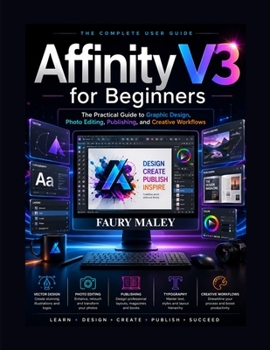
Affinity V3 for Beginners: The Practical Guide to Graphic Design, Photo Editing, Publishing, and Creative Workflows

Affinity V3 for Beginners
The Practical Guide to Graphic Design, Photo Editing, Publishing, and Creative Workflows
Are you ready to master Affinity V3 and create professional-quality designs without feeling overwhelmed by complicated tutorials or confusing workflows?
Whether you are a complete beginner, a content creator, an independent publisher, a business owner, or an aspiring graphic designer, this practical and easy-to-follow guide will help you confidently learn Affinity V3 from the ground up using real-world creative projects and professional design workflows.
Unlike many design books that focus only on theory or complicated technical explanations, this guide is written from hands-on experience and practical usage-showing you how Affinity V3 is actually used in modern creative work.
Inside this book, you will learn how to:
Understand the Affinity V3 workspace and creative ecosystemMaster vector design tools for logos, illustrations, and brandingEdit and enhance photos professionallyWork with layers, masks, typography, and advanced effectsDesign flyers, social media graphics, and marketing materialsCreate professional book covers and publishing layoutsBuild multi-page magazines and professional documentsUse AI-assisted workflows and Canva integration effectivelyImprove productivity with professional file management systemsExport designs correctly for print, web, and social mediaDevelop real-world creative workflows used by professionalsThis book is designed to help you move beyond basic tutorials and start building real creative confidence with Affinity V3.
Whether your goal is:
Graphic designBrandingPublishingContent creationFreelancingSocial media marketingPrint designProfessional creative workflowsthis guide provides a practical roadmap to help you work faster, design smarter, and create polished professional projects with confidence.
What Makes This Book Different?Many Affinity guides simply explain tools.
This book focuses on:
Real-world workflowsStep-by-step practical usageProfessional organization techniquesModern creative design systemsBeginner-friendly explanations without unnecessary complexityYou will not just learn where the tools are located-you will learn how professional creative projects are actually built from start to finish.
Perfect For: Beginners learning Affinity V3 for the first timeGraphic designers and content creatorsSelf-publishers and marketersFreelancers and creative entrepreneursStudents and hobbyistsAnyone switching from Canva, Photoshop, Illustrator, or InDesignCustomer Reviews
ThriftBooks ® and the ThriftBooks ® logo are registered trademarks of Thrift Books Global, LLC
