


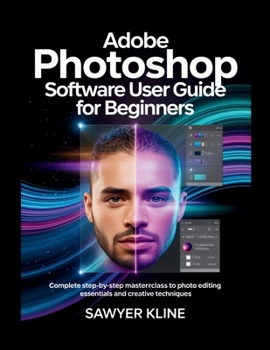
Adobe Photoshop Software User Guide for Beginners: Complete Step-by-Step Masterclass to Photo Editing Essentials and Creative Techniques

Tired of staring at dull photos wishing you could make them pop, but feeling overwhelmed by complicated software? Discover the joy of transforming ordinary images into stunning masterpieces with this beginner photo editing guide.
Adobe Photoshop Software User Guide for Beginners: Complete Step-by-Step Masterclass to Photo Editing Essentials and Creative Techniques is your friendly, hands-on companion to getting started with photo editing. Written for complete newcomers, this step by step photoshop tutorial breaks down everything into clear, easy-to-follow lessons-no prior experience needed.
You'll master:
Photoshop workspace navigation and setup for smooth workflowsLayers and masks beginner guide for flexible, professional editsSelection tools tutorial including quick and precise methodsBasic and advanced basic image adjustment tutorials to crop straighten resize images perfectlyColor correction beginners techniques with levels, curves, and moreRetouching tools to remove blemishes and enhance portraits naturallyBlending modes explained simply for creative compositesAdding text, shapes, and effects for simple graphic design projectsNon destructive editing tips to experiment fearlesslyHow to export images for print web with optimal resultsThrough practical examples and daily practice photo edits, you'll build confidence quickly, moving from basic fixes to creative techniques for beginners. This photoshop essentials masterclass keeps things straightforward and fun, helping you unlock photo editing tools explained in real-world projects.
Whether you're editing family memories, creating social graphics, or exploring digital art, this book equips you with the skills to achieve pro-level results.
Ready to turn your photos into works of art? Grab your copy today and start your learn photo editing basics journey, your creative potential is waiting
Customer Reviews
ThriftBooks ® and the ThriftBooks ® logo are registered trademarks of Thrift Books Global, LLC
