


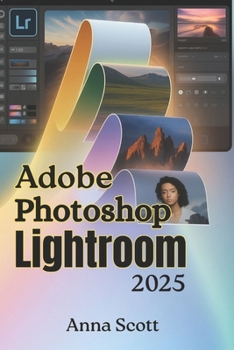
Adobe Photoshop Lightroom 2025: The Complete Step-by-Step User Guide to Master Photo Editing, Organization, and Creative Workflow Like a Pro

Master Adobe Photoshop Lightroom 2025 - the ultimate all-in-one guide to professional photo editing, organizing, and creative workflow.
Whether you're a beginner photographer, enthusiast, or seasoned professional, Adobe Photoshop Lightroom 2025 by Anna Scott is your complete step-by-step manual to mastering one of the world's most powerful photo editing tools. Designed with clarity, structure, and real-world examples, this in-depth guide takes you from importing your first photo to achieving breathtaking edits worthy of any professional portfolio.
Inside, you'll discover how to harness Lightroom 2025's newest AI features, streamline your workflow, and create stunning, polished images faster than ever before. With straightforward explanations and detailed walkthroughs, this book simplifies complex concepts-making it the perfect companion for photographers at all skill levels.
Inside You'll Learn How To:
Install and set up Lightroom 2025 on desktop and mobile devices
Understand the differences between Lightroom Classic, CC, Mobile, and Web
Import, organize, and manage thousands of photos efficiently using catalogs, metadata, and keywords
Master the Develop Module for non-destructive editing, tone correction, and color grading
Use AI-powered tools like enhanced masking, content-aware healing, and adaptive presets
Create your own Lightroom presets and profiles for consistent, professional results
Sync seamlessly across devices using Adobe Cloud and streamline your creative workflow
Export, print, and share your final images with precision and confidence
What's New in Lightroom 2025
Smarter AI masking and subject detection powered by Adobe Sensei
Improved cloud integration for mobile and desktop workflows
New creative profiles, LUTs, and film simulations for instant artistic styles
Optimized performance and speed for faster editing
Enhanced color management and monitor calibration for true-to-life tones
Who This Book Is For
Beginners & Hobbyists: Learn Lightroom from scratch with clear, visual steps.
Intermediate Editors: Advance your skills with pro-level techniques and workflow automation.
Professional Photographers: Discover time-saving tools and cloud integration for client projects.
Mobile Creators: Edit anywhere with the latest Lightroom Mobile and cloud-sync features.
Customer Reviews
ThriftBooks® and the ThriftBooks® logo are registered trademarks of Thrift Books Global, LLC
