


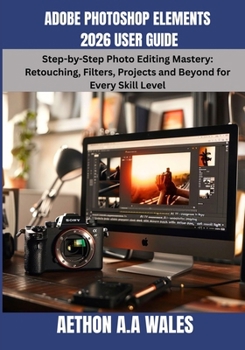
Adobe Photoshop Elements 2026 User Guide: Step-by-Step Photo Editing Mastery: Retouching, Filters, Projects and Beyond for Every Skill Level

Adobe Photoshop Elements 2026 is the quick and easy photo editor packed with an advanced AI toolset - designed to turn everyday moments into stunning masterpieces. Powered by Adobe's Firefly technology, it now features generative AI capabilities that can create entirely new photos and artwork - making it the most powerful version yet. This User Guide unlocks every feature, so you never waste a single tool.
Key Things You'll Learn
How to navigate the interface - Quick, Guided, and Expert modes explained simplyHow to use AI-powered tools to automatically detect and remove people or distractions from your photosHow to use the Insert Object generative AI tool to add elements with a simple text promptHow to restore old photos, remove distractions, change colors, and stylize with effects and artistic overlaysHow to access thousands of Adobe Express templates for social posts, posters, photo books, and moreBenefits You'll Gain
Edit photos with confidence - even as a total beginnerSave hours with guided, step-by-step walkthroughsMaster AI tools without technical overwhelmCreate professional-quality images for social mediaRestore cherished old family photos with easeOrganize your photo library like a seasoned professionalUnlock creative effects, fonts, and graphic overlaysImport photos seamlessly from mobile to desktop via QR codeProduce stunning designs using built-in templatesBuild skills that grow with every future Adobe updateWho Should Read This Book
This guide is perfect for beginners, hobbyists, bloggers, small business owners, seniors, teachers, and anyone who wants professional-looking photos without the complexity of full Photoshop.
What Sets This Book Apart
Unlike Adobe's own documentation - which critics note doesn't clearly explain key features for new users - this guide fills every gap with plain language, real-world examples, and practical exercises designed for results.
Stop guessing. Stop watching hours of scattered tutorials. Everything you need is right here, in one complete guide. Grab your copy today and start creating photos you're truly proud of - starting on page one.
Customer Reviews
ThriftBooks ® and the ThriftBooks ® logo are registered trademarks of Thrift Books Global, LLC
