


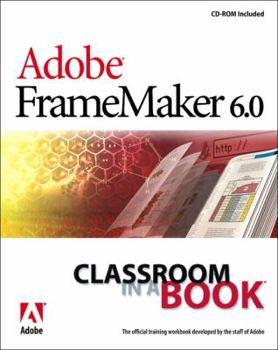
Adobe FrameMaker 6.0 Classroom in a Book

This guide to the popular desktop publishing software, Adobe FrameMaker, contains self-paced lessons using images and files from the CD-ROM included. This description may be from another edition of this product.
Format:Paperback
Language:English
ISBN:020170014X
ISBN13:9780201700145
Release Date:January 2000
Publisher:Adobe Pr
Length:360 Pages
Weight:2.05 lbs.
Dimensions:9.0" x 1.0" x 7.5"
Customer Reviews
3 ratings
Great Beginner's Book
Published by Thriftbooks.com User , 24 years ago
You'd expect a book about Framemaker, a leading application of tech writers, to be superbly laid out, precise, and clear. This book definitely *is*. I am extremely satisfied with my purchase. And as a result, I have gotten "up to speed" with Framemaker basics in a few weekends. One major caveat: This is definitely a beginner's guide. If you want to delve into more intermediate / advanced topics (e.g. best practices for converting Word or HTML docs to Framemaker), this book will *not* take you there.
An elevator for a steep learning curve
Published by Thriftbooks.com User , 24 years ago
Adobe FrameMaker is a high-end product for desktop-publishing professionals and as such does not have a large customer base. If you need to create and design your own books, look no further. You probably have heard that this program has a very steep learning curve. Once you master the mysteries of this complicated and convoluted program, book design will be very easy and time-consuming. The problem is - where to start. Adobe provides a very detailed manual in the product box. I am a first-time user, and although I understood the first few chapters I read, I was still unable to begin working on the second edition of my book (the first one was typed and set in MS Word). The point is - the USER GUIDE, or the enclosed manual is very detailed - it describes and explains every possible setting. Thus, it's more appropriate function is a FrameMaker encyclopedia, and not the "guide" for starters. This is only good, because there are too many programs out there whose manuals are too general. They are just bare overviews, and usually you have to buy a separate "Bible" textbook. So, you have all documentation you will ever need - included in the program shrink-wrapped box. In order to learn the basics, it's best to purchase some introductory book. Adobe's "Classroom in a Book" provides this very important introduction which in the format of hand-guided lessons will let you go up that curve in a leisurable way of your own. I finished reading the book in one day, performing all lessons included on the CD. Tell you what - I am ready. Not only I know the "basic basics", but I KNOW WHAT TO LOOK FOR in the User Guide documentation.Adobe "classroom" books are high-quality texts that are used for ACE training (Adobe certified expert). If you want to be an ACE, I do not need to convince you to buy this book. If you want to get quick, but good hands-on the best desktop-publishing product on earth, look no more. It's here.
Very good for the beginning FrameMaker student
Published by Thriftbooks.com User , 25 years ago
Adobe does a nice job of integrating its CD with the text of the book. The chapters are short, and the steps are simple and clear. Also, the chapters do build on each other, but it isn't always assumed that you remember everything in a previous chapter. Only by the end of the book do you need to rely more on the basic skills you learned, as not all basic steps are covered. More complicated Web-integration features are also covered. This book is a good supplement to Adobe training in FrameMaker.
Copyright © 2026 Thriftbooks.com Terms of Use
| Privacy Policy | Do Not
Sell/Share My Personal Information | Cookie Policy | Cookie Preferences | Accessibility Statement
ThriftBooks® and the ThriftBooks® logo are registered trademarks of Thrift Books Global, LLC
ThriftBooks® and the ThriftBooks® logo are registered trademarks of Thrift Books Global, LLC
