


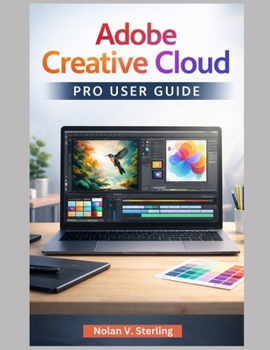
Adobe Creative Cloud Pro User Guide

Adobe Creative Cloud Pro User Guide: The Ultimate Step-by-Step Guide for Mastering Adobe's Creative Ecosystem
Unlock the full potential of Adobe Creative Cloud Pro with this comprehensive and user-friendly guide. Whether you're a beginner or an experienced creative professional, this guide will help you navigate the Creative Cloud Pro platform with ease. With detailed explanations, practical examples, and tips for managing your creative projects, this guide ensures you'll be able to leverage the power of Photoshop, Illustrator, Premiere Pro, and all the other essential Adobe applications efficiently.
Why You Need This Book:
Comprehensive Coverage: This guide walks you through everything from setting up your Adobe account to managing applications, syncing cloud documents, and mastering advanced features like Adobe Firefly and Generative AI Tools.
Step-by-Step Instructions: Learn how to use Creative Cloud Pro applications effectively, whether you're editing photos in Photoshop, creating illustrations in Illustrator, or making videos in Premiere Pro.
Cloud-Based Workflow Mastery: Master the cloud syncing, file storage, and collaborative features that allow you to work seamlessly across multiple devices and with teams.
Expert Tips and Optimization: Discover time-saving techniques, tips for optimizing performance, and best practices for managing assets and sharing files securely.
What You'll Learn:
Creative Cloud Ecosystem Overview: Understand how Creative Cloud Pro connects your Adobe apps, cloud services, and libraries into a cohesive, integrated system.
Managing Adobe Applications: Learn how to install, update, and manage Creative Cloud apps, including advanced options like working with multiple versions, rolling back, or reinstalling apps.
File Management and Storage: Dive into managing cloud storage, organizing assets using Creative Cloud Libraries, and syncing files across devices. Understand how to save and access files both locally and in the cloud.
Collaboration Features: Learn how to share projects, leave comments, and manage permissions within Creative Cloud Pro to collaborate efficiently with team members or clients.
Advanced Features: Explore powerful tools like Adobe Firefly, Automation, Cross-Device Workflows, and integrations with third-party services to enhance your creativity and productivity.
Security and Account Management: Protect your data with two-step verification, manage your Adobe account, track payments, and handle subscription updates without stress.
Who Needs This Book:
Creative Professionals: If you use Adobe's suite of applications, this guide will help you integrate and maximize the use of Creative Cloud Pro in your professional work.
Beginners and Return Users: New to Creative Cloud Pro? Or returning after a long break? This guide will get you up to speed with clear, simple instructions, so you can start creating without frustration.
Educators and Students: This guide is perfect for teaching or learning Adobe tools, helping students and educators understand how to use Creative Cloud in a classroom or studio setting.
Collaborative Teams: If you work in a creative team, this guide will show you how to manage shared assets, synchronize files, and collaborate efficiently using Creative Cloud Pro's built-in tools.
Buy your copy of the Adobe Creative Cloud Pro User Guide today
Customer Reviews
ThriftBooks® and the ThriftBooks® logo are registered trademarks of Thrift Books Global, LLC
