


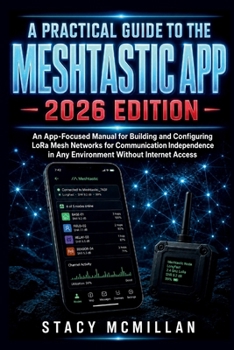
A Practical Guide to the Meshtastic App - 2026 Edition: An App-Focused Manual for Building and Configuring LoRa Mesh Networks for Communication Indepe
No Customer Reviews

What happens when your mesh looks connected, but messages, maps, and settings still do not work the way you expected? Setting up the Meshtastic app can feel confusing when you are new to LoRa mesh communication. You may not know which permission to allow, why Bluetooth drops, why nodes do not appear, why a channel will not work, or why a message shows sent without any clear reply. Small app settings can affect range, privacy, location sharing, telemetry, MQTT, firmware updates, and the way other nodes see your device. This guide gives you a practical path through the app from first launch to everyday use. It explains each major screen, setting, and workflow in plain English so you can configure your node, manage channels, protect private communication, monitor live data, and fix common app problems with less guesswork. The learning style is step based and visual. You get clear setup guidance, real app workflows, labeled diagram ideas, practical examples, checklists, and troubleshooting sections that show what to check, what to avoid, and what to do next. This is not a theory-heavy manual. It is built for action. What's insideFirst-time app setup for Android, iOS, and the Web ClientBluetooth pairing steps and connection checksHome screen, Messages, Nodes, Map, and Settings explainedNode name, short name, region, role, and identity setupRadio configuration for modem presets, hop limit, power, and frequency slotChannel setup, private channels, QR sharing, and encryption controlsPosition, map, GPS, fixed location, and smart sharing settingsDirect messages, channel broadcasts, status icons, and canned messagesNodes list, favorites, filtering, ignored nodes, and hops awayTelemetry screens for battery, signal, sensors, and device dataModule settings for range tests, sensors, notifications, serial, and MQTTFirmware updates, backups, app maintenance, and troubleshooting guides
Who's this guide for?Hikers who want off-grid group messagingCampers building a local communication setupCommunity mesh users setting up home or relay nodesMakers connecting sensors, modules, and serial devicesRoad trip or convoy users planning backup communicationBeginners who need app guidance before advanced radio workTech users who want cleaner Meshtastic configuration steps
By the end of this guide, you will be able to: Install and open the app with the right permissionsConnect a node by Bluetooth and confirm it is readySet region, name, role, channel, and key settingsCreate and share private channels with better careRead the Nodes tab, signal metrics, hops, and last heard timeSend direct messages and channel broadcasts with confidenceConfigure map, GPS, fixed position, and privacy settingsUse telemetry to check battery, voltage, signal, and sensorsSet up app-controlled modules with fewer mistakesBack up settings before firmware updates or resetsTroubleshoot common app, map, Bluetooth, and message issues
If you want clear instructions for using the Meshtastic app without getting lost in scattered settings, this guide gives you the structure and support to build a working setup with confidence. Get your copy today and start configuring your Meshtastic app with clear, practical steps.
Who's this guide for?Hikers who want off-grid group messagingCampers building a local communication setupCommunity mesh users setting up home or relay nodesMakers connecting sensors, modules, and serial devicesRoad trip or convoy users planning backup communicationBeginners who need app guidance before advanced radio workTech users who want cleaner Meshtastic configuration steps
By the end of this guide, you will be able to: Install and open the app with the right permissionsConnect a node by Bluetooth and confirm it is readySet region, name, role, channel, and key settingsCreate and share private channels with better careRead the Nodes tab, signal metrics, hops, and last heard timeSend direct messages and channel broadcasts with confidenceConfigure map, GPS, fixed position, and privacy settingsUse telemetry to check battery, voltage, signal, and sensorsSet up app-controlled modules with fewer mistakesBack up settings before firmware updates or resetsTroubleshoot common app, map, Bluetooth, and message issues
If you want clear instructions for using the Meshtastic app without getting lost in scattered settings, this guide gives you the structure and support to build a working setup with confidence. Get your copy today and start configuring your Meshtastic app with clear, practical steps.
Format:Paperback
Language:English
ISBN:B0H6SQXDVJ
ISBN13:9798184531656
Release Date:June 2026
Publisher:Independently Published
Length:346 Pages
Weight:1.02 lbs.
Dimensions:0.7" x 6.0" x 9.0"
Customer Reviews
0 rating
Copyright © 2026 Thriftbooks.com
Terms of Use | Privacy Policy | Do Not Sell/Share My Personal Information | Cookie Notice | Cookie Preferences | Accessibility Statement
ThriftBooks ® and the ThriftBooks ® logo are registered trademarks of Thrift Books Global, LLC
ThriftBooks ® and the ThriftBooks ® logo are registered trademarks of Thrift Books Global, LLC
