


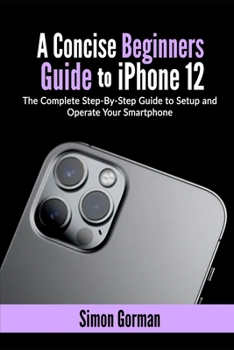
A Concise Beginners Guide to iPhone 12: The Complete Step-By-Step Guide to Setup and Operate Your Smartphone
No Customer Reviews

Apple introduced its new iPhone 12 series, which has three other devices. The long-anticipated flagship Smartphone incorporates 5G, a ceramic-shielded glass body, an edge-to-edge Super Retina XDR display, and an improved dual-camera system. It features Apple's A14 Bionic processor (the fastest chip in a smartphone). It runs an upgradeable iOS 14 and has a MagSafe feature that allows the device to connect to other mobile accessories magnetically. In this user guide, you will learn how to use all the essential features of the iPhone 12. This guide is best for both beginners and experts because it explains the iPhone's essential elements and then further interrogates the more advanced ones. It contains practical illustrations for quick mastery of your iPhone 12. Here is a preview of what users will learn in this guide: Specifications of iPhone 12How to set up your iPhone 12The A14 Bionic ProcessoriPhone 12 DesignThe RAM and Storage capacity of iPhone 12Software and PerformanceThe iOS 145G ConnectivityDisplay of iPhone 12The True Tone, Raise To Wake, and Haptic Touch featuresHow to set face ID in your iPhone 12Water and dust resistance Camera Capabilities of iPhone 12The dual-camera system of iPhone 12The front-facing Camera Recording Dolby Vision HDR videoiPhone 12 Night mode imagesBattery Capacity of iPhone 12QI Magnetic Wireless charging Fast charging ability of iPhone 12MagSafe TechnologyHow to charge your iPhone 12 using the MagSafe Wireless chargerOther useful MagSafe AccessoriesSelfies with iPhone 12How to use different Framing Modes in taking selfiesSmart HDR 3 and Deep FusionPortrait Lighting in iPhone 12Everything about Siri in iOS 14 What is Siri "Knowledge," and how to use the features? Games compatibility in iPhone 12How to use a PS4 controller to play games on iPhone 12How to pair an Xbox controller with your iPhone 12How to use the App LibraryiPhone 12 Control CenterHow to Access Notification Center and set your notification preferencesHow to use Quick Take How to Screen record and screenshot using iPhone 12How to create an Apple IDWhat is Apple Pay? And how to utilize this featureHow to request payment from Apple Pay How to set up Apple Pay Cash How to apply for an Apple cardList of iPhone 12 Built-in apps Free additional apps from AppleHow to buy applications from the App Store or iTunes StoreHow to edit a smart stack widget How to share your location via Find My App How to reset icon layout on the Home screen How to use picture in picture modeHow to use FaceTime to make callsHow to make a Group FaceTime call How to answer and reject calls on FaceTimeHow to transfer data from your previous device to iPhone 12 How to Factory Reset your iPhoneHow to check battery usage and Health in your iPhoneHow to Reset your device Network SettingsHow to take Night photos How to customize VoiceOver How to use Ultra-wide Camera How to set up screen time How to set up Live Photo as lock screen Wallpaper How to set up family sharing How to view the weather in Maps And many more.....You Can Download FREE with Kindle Unlimited and Configure Various Setting on Your Device. So what are you waiting for? Scroll up and Click the Orange - BUY NOW WITH 1-CLICK BUTTON- on the top right corner and Download Now You won't regret you did See you inside
Format:Paperback
Language:English
ISBN:B08QWHTXK5
ISBN13:9798583952571
Release Date:January 1
Publisher:Independently Published
Length:128 Pages
Weight:0.40 lbs.
Dimensions:0.3" x 6.0" x 9.0"
Customer Reviews
0 rating
Copyright © 2026 Thriftbooks.com Terms of Use
| Privacy Policy | Do Not
Sell/Share My Personal Information | Cookie Policy | Cookie Preferences | Accessibility Statement
ThriftBooks® and the ThriftBooks® logo are registered trademarks of Thrift Books Global, LLC
ThriftBooks® and the ThriftBooks® logo are registered trademarks of Thrift Books Global, LLC
