


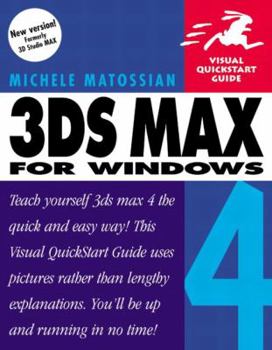
3DS Max 4 for Windows (Visual QuickStart Guide)

The popular Visual QuickStart Guide format offers clear, step-by-step instructions, hundreds of screen shots, and easy-to-use visual tabs for quick referencing. 3ds max 4: Visual QuickStart Guide... This description may be from another edition of this product.
Format:Paperback
Language:English
ISBN:020173429X
ISBN13:9780201734294
Release Date:June 2001
Publisher:Peachpit Pr
Length:468 Pages
Weight:1.76 lbs.
Dimensions:9.3" x 1.3" x 7.3"
Customer Reviews
4 ratings
A good starting point for learning Max
Published by Thriftbooks.com User , 23 years ago
I think it's not fair to give this book lesser than 4 stars.As the title "Visual QuickStart Guide" has made it clear, this is just a guide for getting quick start. It's not tutorial-oriented. You should not expect it to teach you everything about 3ds Max. What it dose is giving you the basic concept and teaching you how to use the tools, so you can get familiar with the Max user interface and the functions of most of the tools.I use it as a warm-up & reference book for relatively more advanced ones like "Mastering the Art of production with 3ds max" or "Modeling a Character in 3ds Max".I consider this book very informative.So, just go get it and take advantage of it.
Perfect
Published by Thriftbooks.com User , 23 years ago
People are wanting a book that tells them how to do everything. People don't want to learn, have fun, or think. People are interested in showing off and making money. I've had about 4 Visual Quickstart Guides, and they've all told me how to run the program I was asking it to do.Do yourself a favor, pick this word up.
Another great way to start 3ds max...
Published by Thriftbooks.com User , 24 years ago
This is a great book, and it was really easy to follow. Though I prefered the 3ds max fundamentals as a learning process... I picked up this book and it's just as good..I give it four out of five stars because it's a better reference then a teacher. I reccomend that you use fundamentals for learning 3ds max, and if you need a good reference this book is the one to pick up!(I leave it on top of my computer monitor, I use it so much!)
A great reference material!
Published by Thriftbooks.com User , 24 years ago
The visual quickstart guide series of books has always been my favorite for referencing the programs I work with. If you just want to jump right in to using 3D Studio Max and already are fairly familiar with the program but just can't remember how to do a particular operation, you can easily find the steps without having to dig through a large manual.Screenshots of the buttons you'll press, the menus you'll see, and even examples of the operation as it progresses accompany each step. Quick and to the point, the 3DS Max 4 Visual Quickstart Guide is a must have reference.
Copyright © 2026 Thriftbooks.com Terms of Use
| Privacy Policy | Do Not
Sell/Share My Personal Information | Cookie Policy | Cookie Preferences | Accessibility Statement
ThriftBooks® and the ThriftBooks® logo are registered trademarks of Thrift Books Global, LLC
ThriftBooks® and the ThriftBooks® logo are registered trademarks of Thrift Books Global, LLC
